
Hoard wurde in der Version v1.2.0 veröffentlicht.
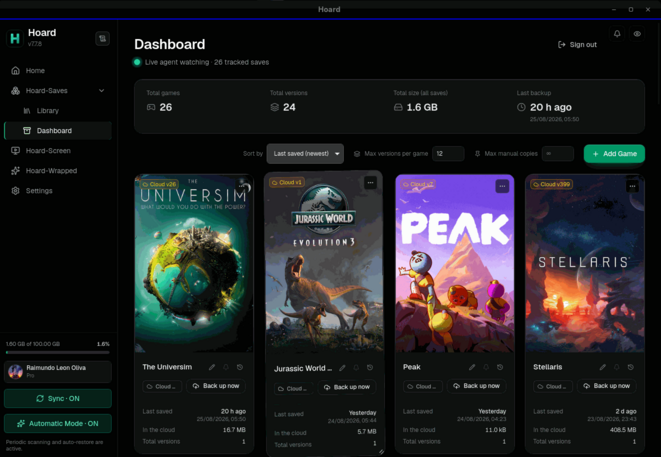
Hoard ist ein quelloffenes Tool, das Spielstände geräteübergreifend automatisch sichert und synchronisiert - mit versionierten Snapshots, Erkennung von über 20.000 Spielen sowie Unterstützung für zahlreiche Emulatoren.
Die neue Version macht das Speicherlimit pro Spielstand individuell einstellbar, verlagert die automatische Spielerkennung in den Hintergrunddienst hoardd (läuft auch bei geschlossenem Fenster) und komprimiert Uploads künftig mit zstd. Der Log-Viewer zeigt jetzt auch die Logs des Sync-Dienstes an, Windows bekommt eine eigene Titelleiste, und hoard restore --remember merkt sich Wiederherstellungsordner dauerhaft. Daneben wurden mehrere Sync- und Login-Bugs unter Windows behoben.
Added
- The size limit per save is yours to set. Free stays at 1 GB by default and Pro at 10 GB, but the number is no longer fixed: a slider on the account screen goes from 100 MB to 1.5 GB on Free.
- Hoard finds new games with the window closed. Detection, automatic mode and the Ludusavi catalogue moved into
hoardd, the sync service that keeps running when the window is gone. It runs an automatic pass every 10 minutes.- The log viewer shows the sync service too.
hoardd.logandagent.logare now merged in time order, each line tagged with the process it came from.- Windows: a title bar that belongs to the app. The app now paints its own title bar with minimise, maximise and close instead of the system’s grey caption.
hoard restore --remember. Keeps the restore folder as the game’s home going forward, matchinghoard backup --remember.- Uploads are compressed before they leave your machine. Files go up compressed with zstd to Hoard Cloud and self-hosted servers alike.
Fixed
- Opening the window could accidentally disable the sync service’s login autostart.
- Windows: turning on sync at login could leave the machine with no running sync at all (
0x80070002).- Windows: the Cloud session’s refresh token now lives in the Credential Manager instead of a plain file.
- Windows: a webview crash that turned the window black is now detected and recovered automatically.
Quelle: GitHub