
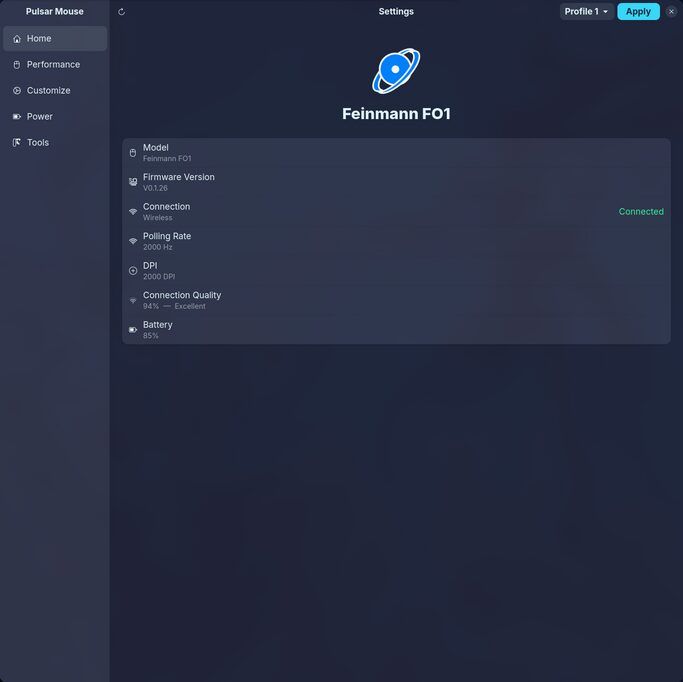
Pulsar Mouse Linux, an unofficial configuration tool for Pulsar gaming mice on Linux, has been released in versions v0.1.23, v0.1.24 and v0.1.25.
The updates follow version 0.1.22. v0.1.23 fixes the lift-off distance of the X3 (now 0.7, 1 and 2 mm) and makes writes safer when values were not fully read. v0.1.24 makes Apply on the 1K dongle about twice as fast, and v0.1.25 fixes the dongle’s DPI range (up to 32000) and the display of the Nordic firmware version.
Changes in version 0.1.23:
Changes for the Fusion2 line (X2A, X2H, X2 Wired, Xlite Wired, Xlite v4, X3, 1K dongle) and one for the Nordic family.
X3 lift-off distance: The app read the wrong byte, so an X3 set to 1 mm showed 2 mm. The X3 now offers 0.7, 1 and 2 mm, and the export format moved to version 3. Version 1 and 2 files restore 1 mm.
Dongle pairing: If the dongle won’t say which mouse is connected, the lift-off field is treated as unread, and Apply is blocked rather than guessed.
Partial reads: If a read loses any field Apply writes, the page refuses to apply until a full reload succeeds, and it tells the user why.
Dropped requests: The dongle sometimes ignores a pending request, so the driver resends it after five polls of a stale answer. Button and stage-colour replies must now echo the button or stage they belong to.
Xlite V3: Its USB IDs match the X2A Wireless’s, and the driver now says it serves both. Thumb 3 and 4 may be wrong on six-button models of the family (issue #30).
Also adds
docs/protocol-fusion2-macros.md, documenting the Fusion2 macro protocol. Thanks to @bluesceada and @f-o-o-g-s.
Changes in version 0.1.24:
On the 1K wireless dongle, the GUI’s Apply is about twice as fast. A request sent right after a write’s reply used to wait about 230 ms for the dongle’s next communication slot. The driver now waits out the rest of a 30 ms window after a write before sending the next request.
With the mouse still, Apply dropped from 3.42 s to 1.72 s; with the mouse moving, from 3.01 s to 1.81 s. A full page read stays at 0.40 s. Apply holds the USB lock for its whole duration, so the battery poll, tray and Home page queue behind it. Cabled drivers are unchanged (issue #32).
Found and measured by @f-o-o-g-s on a Pulsar X3 behind the 1K dongle.
Changes in version 0.1.25:
1K dongle DPI range: The range was wrongly inherited from the X2A Wired driver (26000 max, steps of 100). It is now 32000 in steps of 10, matching the other Dongle Kit mice.
DPI stages above the driver’s ceiling: The app used to show the cap and write it back on Apply, overwriting the real stage value. Stages the app can’t display now count as unread, which blocks applying the page.
Nordic firmware version: Two packed-decimal bytes were read as a single number, so an Xlite V3 reporting
02 18showed as 2.24 instead of V2.18.Misleading banner: A message blamed a sleeping mouse when the mouse had answered with a value the app can’t show. It now says the lift-off distance can’t be displayed, so nothing can be applied.
A read-only Xlite V3 dump (issue #30) confirmed several decodings. Thanks to @bluesceada and @f-o-o-g-s.
Source: GitHub