
DLSS Updater has been released in version 5.1.1.
The tool scans the games installed on a system and replaces outdated DLSS, XeSS, and FSR DLLs with newer versions - including automatic backups for rollback.
The Restore menu is now organized by technology (DLSS, Streamline, XeSS, etc.), matching the Update menu. The release also adds more icon animations and fixes a bug when restoring individual technologies.
New Features
- “Icons that move, everywhere” — navigation pill icons animate on hover, game cards display dynamic arrow animations, settings tiles include motion effects, and restore buttons rewind
- Game selection checkboxes animate with a “pop” effect for visual feedback
- Games refresh button spins continuously until the operation completes rather than a single rotation
Changes
- The Restore menu is reorganized by technology type (DLSS, Streamline, XeSS, etc. with corresponding colors), matching the Update menu structure instead of listing individual DLLs
Fixes
- Resolved issue where restoring individual technologies from a game’s DLL groups window incorrectly reported “No backups found for group” despite backups existing
- Restore All functionality was unaffected by this bug
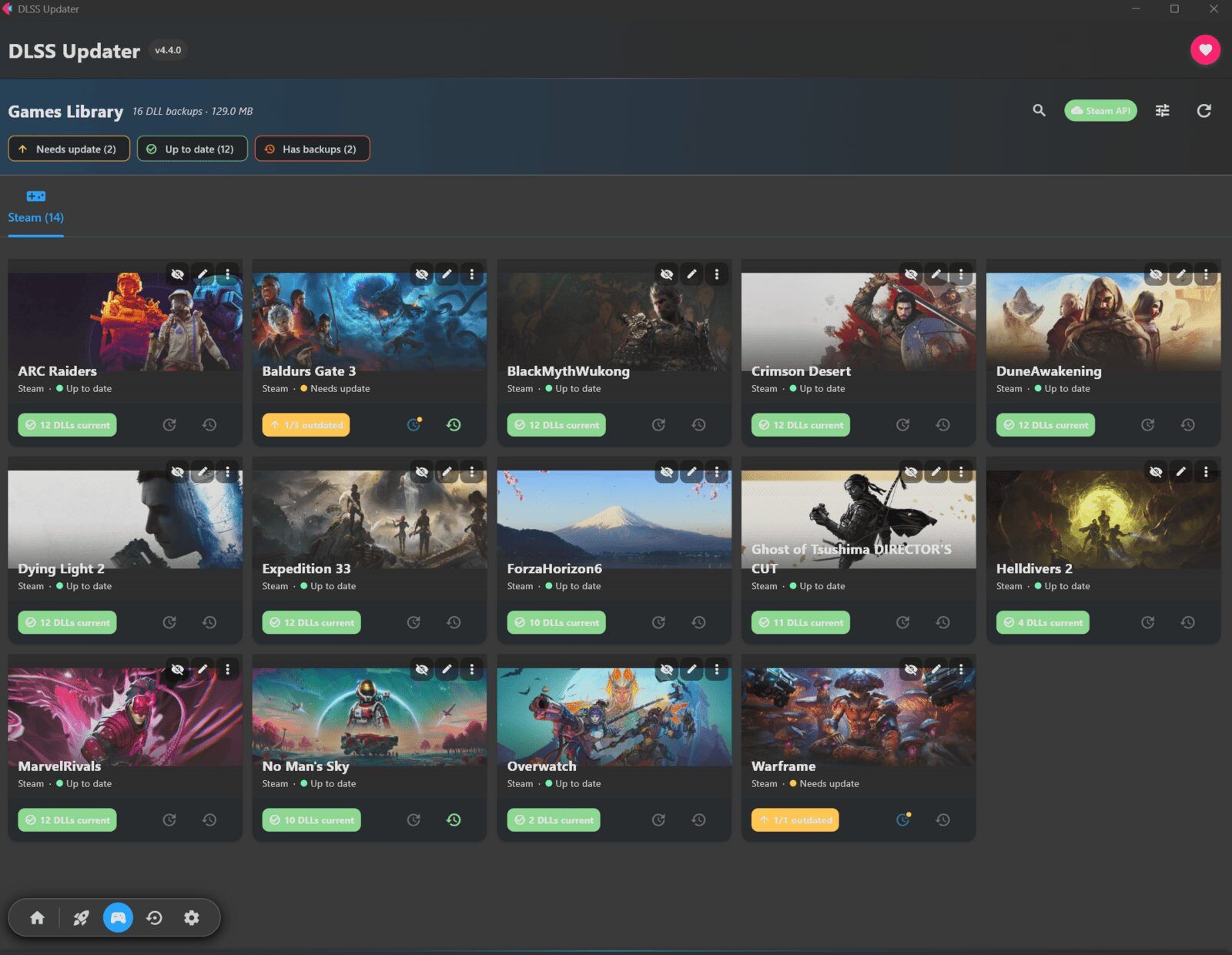
Source: GitHub