
SelfSteam has been released in version v0.1.27.
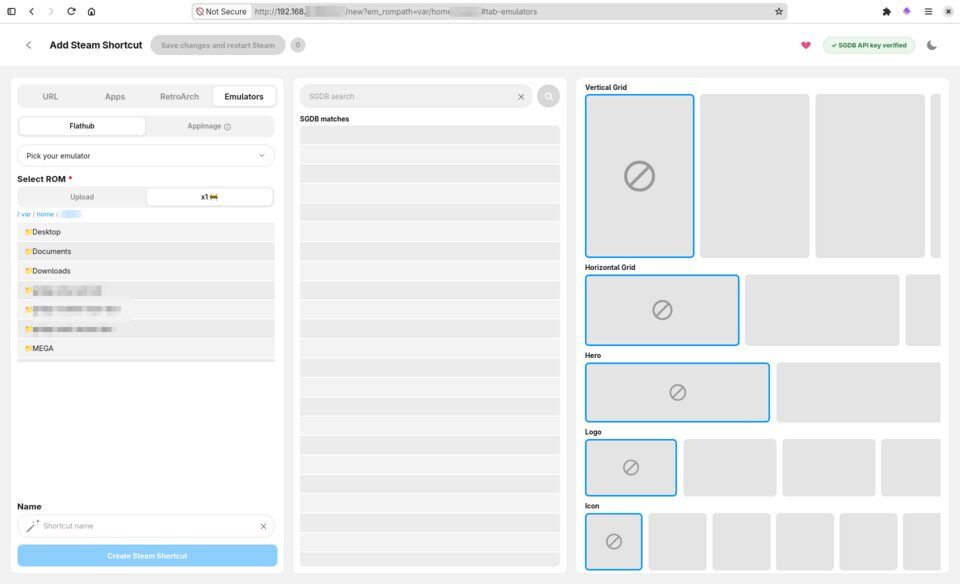
SelfSteam is a headless web application for adding and editing non-Steam shortcuts from another device while the target machine stays in Game Mode: streaming services and websites as Steam shortcuts, game launchers, emulators from Flathub, and retro ROMs with automatic artwork lookup via SteamGridDB. The tool ships as a Flatpak for the Steam Deck and Steam Machines.
Shortly after version 0.1.26, v0.1.27 arrives. New is automatic overscan cropping for N64 games in RetroArch, plus dynamic resolution selection that adapts to handheld or docked mode on every launch. There are also fixes for RetroArch and new default settings for Flycast and xemu.
New automatic overscan cropping for N64 games in RetroArch (ParaLLEl N64 and Mupen64Plus-Next). Many N64 games draw black borders around the picture that old TVs used to hide; SelfSteam now measures them in the background while you play and crops them away. It has no effect on the first play, the borders shrink with every launch after that, and a notification tells you when it has finished. It is on by default and can be switched off per game with the new “Automatic overscan cropping” toggle on the RetroArch tab. Support for more RetroArch cores and standalone emulators is planned.
N64 games in RetroArch now render at a resolution that suits your screen, chosen fresh at every launch, so a Deck gets the right value both handheld and docked. A resolution you pick yourself in RetroArch’s Core Options is never overridden.
Fix RetroArch’s menu showing a plain fallback font with no button icons in its legend: like the controller profiles in the last release, it was looking for its fonts and icons in an empty folder.
The RetroArch tab now reminds you that clicking both sticks (L3 + R3) in game opens RetroArch’s menu.
Flycast now starts in Vulkan, and xemu no longer switches back to Vulkan if you chose OpenGL yourself.
Quiver Launcher, for installing and running apps published on GitHub and GitLab, is now available from the Apps tab’s AppImage list.
Source: GitHub