
OptiScaler Client, a management tool for enabling upscaling and frame generation technologies in games, has been released in version 1.0.7.2.
The update arrives two days after version 1.0.7.1 and fixes a critical uninstall bug: the client failed to identify a game’s FSR 4 DLLs and deleted amd_fidelityfx_* files without restoring the originals.
It also brings a redesigned title bar, executable icons as a fallback when cover art is missing, and better support for handhelds and small screens (including expanded gamepad controls and improved touch functionality). On Linux, the taskbar now shows the application icon.
Fixes
- Resolved critical uninstall bug where the client failed to identify a game’s FSR 4 DLLs, resulting in deletion of
amd_fidelityfx_*files without restoring originals- Corrected folder name cleanup issues preventing game compatibility matching
- Eliminated duplicate folder scanning for identical executables
- Addressed Windows taskbar visibility problem when maximized window and auto-hide are both enabled
New Features
- Added README instructions for building OptiScaler from different branches
Improvements
- Redesigned title bar to integrate seamlessly with interface
- Display executable icons as fallback when cover art unavailable
- List view now prioritizes executable icons over cover art for compact presentation
- Linux taskbar now shows application icon during runtime
- Added informational note about FSR 4 DLL swapping without installation
- Enhanced handheld and small-screen support including expanded gamepad controls, improved touch functionality, drag-and-drop window management, and compacted layouts
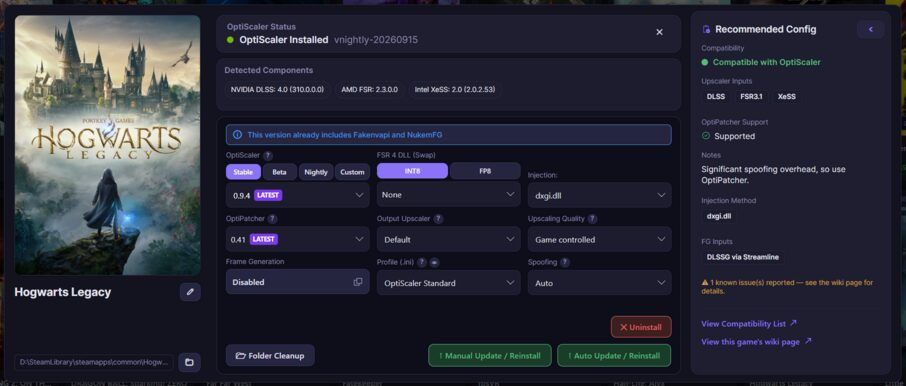
Source: GitHub