
BedrockOnLinux wurde in der Version v2.3.0 veröffentlicht.
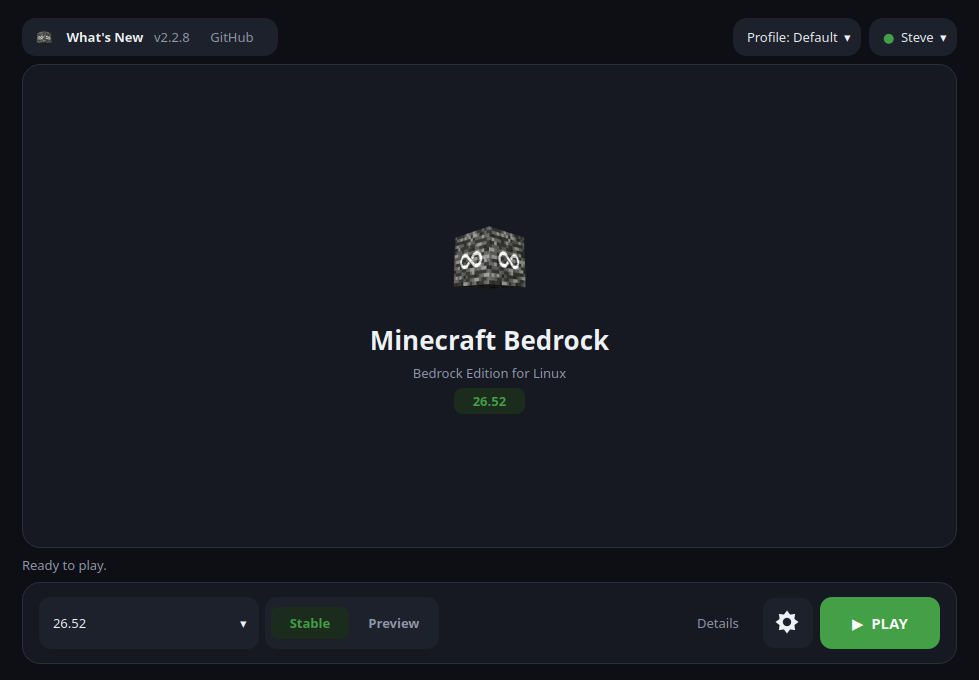
Dabei handelt es sich um einen Launcher, mit dem sich die Minecraft Bedrock Edition unter Linux installieren und spielen lässt.
Das Update behebt unter anderem Anmeldeprobleme beim Microsoft Store und den Ausfall von Minecraft-Start und -Download nach etwa zwei Monaten, da die Microsoft-Sitzungen nun erneuert werden. Außerdem verstellt das Scrollen in den Einstellungen nicht mehr versehentlich die Grafikkarte, und Python 3.15 wird unterstützt.
Signing in works again on the current Minecraft, and the downloader keeps its Microsoft sessions alive instead of stopping two months after the Store sign-in. The in-game sign-in patches apply to Minecraft 1.26.60 and later, a rotated online-play token is no longer thrown away, and scrolling Settings no longer moves the game to another graphics card. Python 3.15 is supported.
Fixed
- The Microsoft Store sign-in no longer hangs silently after the password (#366). When Microsoft’s page handed back its tokens without a field xodus-cli never uses, the reply was dropped and the window sat on Please wait for ever. Those fields are optional now, and
logs/store-login.logrecords each sign-in page that loads and any reply it could not use, so a sign-in that still stops says where.- Minecraft starts and downloads again after about two months of use (#367). PLAY and downloads stopped on
not implemented: Exchange token supports only singular token right now Fault(Fault). The downloader keeps two Microsoft sign-ins from the Store sign-in, one for this computer (issued for 60 days) and one for the account (90 days), and it renewed neither. The computer’s is now signed in again when it has expired, or when Microsoft refuses it anyway, and the request tried once more; the account’s is renewed in its last week without a new sign-in. If Microsoft still refuses, the launcher says so and asks you to sign in to the Microsoft Store account again, instead of “No known cause” or a Rust panic.- Scrolling Settings no longer changes the graphics card on the way past (#363). A wheel turn over the Graphics card list while scrolling the Advanced tab picked the next card and saved it, so a desktop with an NVIDIA card could start Minecraft on the integrated GPU. The lists and number fields in Settings now take the wheel only once clicked; otherwise it scrolls the page.
- A revoked online-play sign-in is no longer shown as signed in (#331, #360). The background Xbox warm-up refreshed Microsoft’s token but discarded its rotated replacement. The replacement token is now saved atomically, and an explicit
invalid_grantresponse marks the account as needing attention and offers Sign in again. Network and transient service failures do not sign the player out.- Minecraft Preview reads its own settings, not the stable game’s. Max Framerate, display cap, fullscreen fix and default servers now use Preview’s own folder.
- The online-multiplayer safety warning stays off for signed-in players. Every profile’s file is patched now, Preview’s included.
- PLAY from the launcher works on Python 3.15 (#356). The launcher now turns lazy imports off before it imports anything, as Python 3.14 behaved.
- The in-game sign-in patches apply to Minecraft 1.26.60 and Preview 1.26.70 again. The Servers tab and the in-game Sign-in link work again.
Build provenance
- Managed engine: wow64-archs-native21
- WineGDK source: 75637b674e1f191e65753663c4c0c32bea05ba6e
- vkd3d-proton: 3.0.1-nv-dgc
- OpenSSL-XCurl set: 504bb166e4e7
Quelle: GitHub