
Steam ROM Manager wurde in den Versionen 2.6.1 und 2.6.2 veröffentlicht.
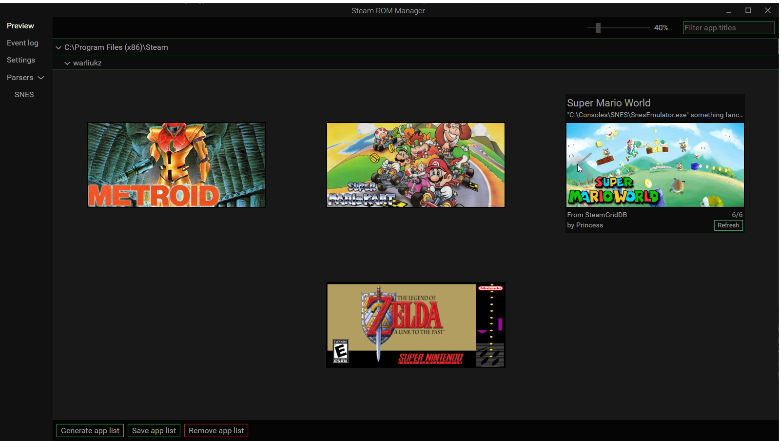
Das Open-Source-Tool fügt Spiele und Emulator-ROMs aus anderen Launchern und Ordnern automatisch mit passendem Artwork zur Steam-Bibliothek hinzu. Version 2.6.1 beschleunigt das Aktualisieren in “Add Games” deutlich, 2.6.2 bringt bessere Themes, einen Update-Download mit Fortschrittsanzeige und einen Fix für Legendary-Spiele.
Änderungen in Version 2.6.1:
Faster refresh in Add Games
- Disabling a parser removes its games from the list without re-parsing anything.
- Enabling or editing a parser re-parses only that parser. Re-enabling an unchanged parser reuses its previous result.
- Excluding games, renaming a game, using Fix match, or changing other exceptions re-parses only the affected parsers.
- Changing environment or custom variables re-parses everything, since any parser may use them.
- A refresh with no changes re-parses everything so that new or removed ROM files are detected.
- Artwork persists across refreshes: already-found artwork isn’t looked up again, your selections stay, and manually added images remain.
- The command line still re-parses everything on each run.
Fixed
- Artwork downloads no longer fail after 10 seconds regardless of progress. They now fail only if no data arrives for 10 seconds, which helps large images such as heroes.
- The “Cannot read properties of null (reading ‘image2x’)” error from the Steam Official artwork provider is gone. Missing artwork types, such as logos or heroes, are now skipped.
Änderungen in Version 2.6.2:
Themes
- Buttons, switches, and games without artwork were hard to see in some color themes. They now stand out in all themes, including custom ones.
- Text in input bubbles is readable in light themes.
Update downloads
- A progress bar shows size and speed and updates automatically.
- Failed downloads now display an error with a link to the GitHub release.
- Retrying after a cancelled download works.
- After an update downloads, you can choose No or Restart.
Fixed
- Saving exceptions after deleting one no longer fails with a “must be string” error.
- Legendary games launch again when SRM finds Legendary automatically (issue #719). A trailing line break in the detected path had broken shortcuts. The parser also now reports when Legendary isn’t installed, and finding it no longer requires PowerShell 7.
- Importing artwork choices counts only games in the list (issue #724). Uninstalled games are skipped, and the log names them.
Other
- The license is now stated as GPL-3.0-or-later (issue #882).
- Dependencies were updated, including security fixes.
Quelle: GitHub