
Steam ROM Manager wurde in der Version 2.6.0 veröffentlicht.
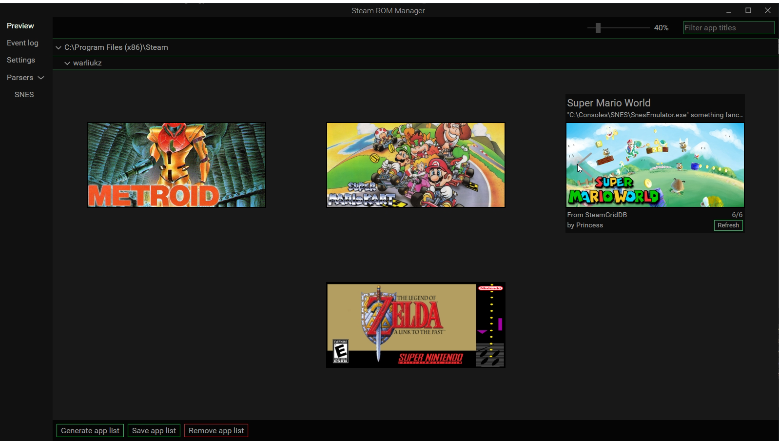
Das Open-Source-Tool fügt Spiele und Emulator-ROMs aus anderen Launchern und Ordnern automatisch mit passendem Artwork zur Steam-Bibliothek hinzu. Die Version bringt sechs neue Themes samt Theme-Editor, 31 Sprachen, neue Kommandozeilen-Funktionen (inklusive eigenständiger CLI-Datei für Linux), schnelleres Speichern und viele Bugfixes.
Added
- Themes. Six new app themes: Sunset, Solarized Dark, Solarized Light, Mint, Pride and Cyberpunk.
- Theme editor (Settings > Theme editor). Make your own themes: duplicate any app theme, change any color, size, font or animation with a live preview on the whole app, then save, use or delete it. Themes are JSON files in
userData/themes/user, easy to share.- Languages. All 31 languages are now offered in Settings. Anything not yet translated shows in English instead of breaking. Help translate on Crowdin.
- Command line: manage parsers.
srm create,edit,deleteandviewcover every setting in the parser editor, with the same required fields and validation. Parsers can be named by id or by name in every command. See the wiki.- Command line:
add --only/remove --onlyrun just the parsers you name, enabled or not.- Standalone command line. Each release has
srm-cli-<version>-<os>-<arch>for Windows, Linux and macOS (x64 and arm64): one executable, no gui app needed. It uses the installed app’s data, or auserDatafolder next to it.Changed
- Exceptions are now two lists: Changes (renames, Fix match, launch options and so on per game) and Excluded games. Excluding a game no longer throws away its changes, and putting it back restores them. Your existing exceptions are converted automatically.
- Faster saves and parsing, most noticeably for big libraries.
- The command line no longer needs an internet connection: it uses SRM’s cached data.
- Security: the window no longer has access to Node or Electron. Everything that touches your files runs in the main process behind a fixed list of allowed actions.
- Electron 32 → 44. Electron no longer makes 32-bit Windows builds, so neither does SRM: Windows releases are 64-bit (x64) and ARM (arm64).
Fixed
A long list of fixes for Steam integration (saving, collections, Proton settings, artwork, controller settings), parsers (GOG Galaxy, EA Desktop, Microsoft Store,
.desktopshortcuts and more), Add Games / View Games and settings handling.Notes
- 32-bit Windows is no longer supported (Electron 44 has no 32-bit build). If you’re on 32-bit Windows, stay on 2.5.x.
- If you switch to one of the new themes or a language other than English and then go back to 2.5.x, 2.5.x won’t accept your settings file. Choose a 2.5.x theme (Deck, Classic or EmuDeck) and English first, or delete
userSettings.jsonafter downgrading.
Quelle: GitHub