
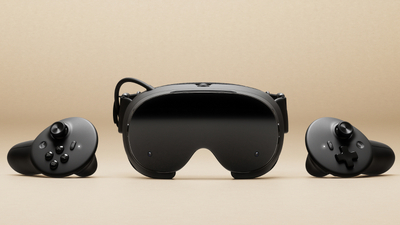
SteamOS 0.4 for the Steam Frame VR headset has been released for all users.
The update brings up to 12% better power efficiency, improved streaming reliability (including fixes for “Error 17”, which requires SteamVR 2.18.2 or later on the PC) and new accessibility options for the dominant eye.
SteamOS 0.4 for Steam Frame has just been released for all users with the following changes:
Power:
- Improved power efficiency and battery lifetime during both streaming and local gameplay, with gains of up to 12%. Note: Result vary depending on framerate and content.
- Added user setting to control Presence Sensor Sensitivity (VR Settings -> Startup / Shutdown -> Presence Sensor). New “high sensitivity” option keeps displays on under a wider range of conditions, such as when using glasses spacers.
Streaming:
- Improved color clarity during VR streaming (fixed headset chroma regression)
- VR streaming reliability improvements, including fixes for “Error 17.” Note: On the PC, you must also opt into SteamVR 2.18.2 or later to reduce “Error 17” connection issues. At the time of this release, SteamVR 2.18.2 is available on the SteamVR \ branch.
- Fixed steam frame wireless adapter connectivity issues that affected users in some countries.
- Improved audio reliability while streaming
- Fixed rare cases of other network interfaces causing disruption of wireless dongle connection.
- Spectator view is now smoothed by default. Spectator view can be accessed on PC via Steam > Settings > Remote Play, or any device that supports Steam Link to preview what the Steam Frame user is seeing in headset.
- Fixed the keyboard not appearing while streaming.
General:
- Fixed an issue that prevented controller bindings from loading for certain games, including Google Earth VR and Thumper.
- Improved focus behavior when interacting with grab/resize handles
- Improved focus handling and gamepad navigation in the dashboard.
- Fixed a case of dashboard panels flickering.
- Fixed “Return to Gaming mode” when starting up directly into Desktop mode.
- Added option to disable spectator view smoothing under VR Settings > Developer (in headset).
- Fixed an issue where the dashboard would recenter unnecessarily for some users.
- Updated embedded browser (CEF) with crash fixes and Linux H.264 detection fixes.
- Miscellaneous performance and stability improvements.
- Improved tooltip sort ordering
Audio:
- Audio: downmix and binaural rendering now have matching volume across all formats.
Accessibility:
- Added accessibility option for users who want to limit eye tracking to a single eye. VR Settings -> General -> Track Dominant Eye Only. (requires enabling “show advanced settings”)
- Users can now specify their Dominant Eye in VR Settings. This controls which eye is used for spectator view, screenshots, etc.
Source: Steam