
Steam Audio Isolator has been released in versions v0.5.0 and v0.5.1.
The Flatpak tool uses PipeWire to route the audio of selected sources such as games to Steam destinations (e.g. for streaming or voice chat), without the rest of the system sound leaking through.
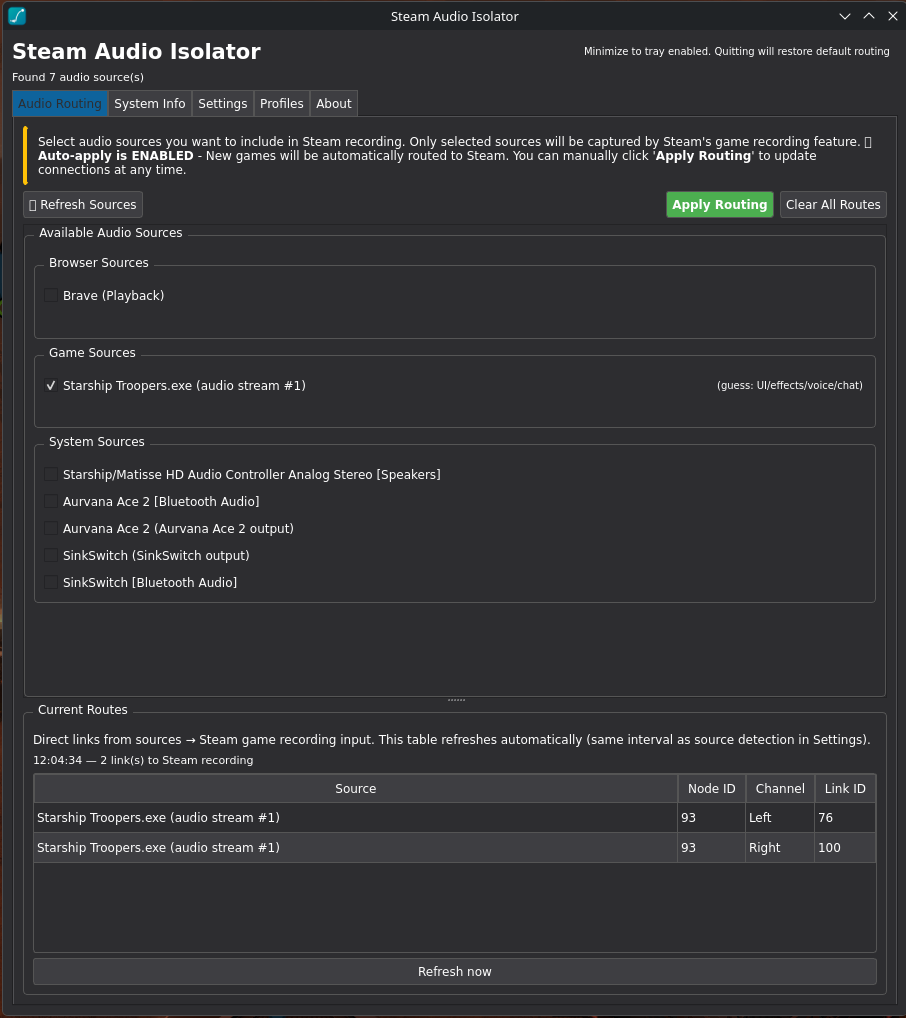
Following v0.4.0 and v0.4.1, there are now two smaller updates: v0.5.0 replaces the tooltip on hovering a source with an interactive popover, while v0.5.1 updates the Current Routes table only when something changes, fixes clipped labels and brings a rewritten README with refreshed screenshots.
Changes in v0.5.0:
Changed
- Hovering a source now shows an interactive popover (instead of a native tooltip). For system/output sources the audio-loop warning is collapsed with a “More ▸” button that expands the full message in place; the popover is a child of the main window so it positions reliably on Wayland and stays clickable.
Changes in v0.5.1:
Changed
- The Current Routes table now updates only when the detected route list changes. Background polling still runs on the source-detection interval, but it no longer rebuilds the table or rewrites the status line every few seconds. Refresh now reports the result even when nothing changed.
- Rewrote the README around the real UI and workflow: five tabs, Current Routes as a section, exclusions, focus mode, profiles, tray/quit behavior, settings defaults, and limitations. Refreshed the main and Settings screenshots.
Fixed
- Long explanatory labels in Settings (including the Flatpak login-startup hint) and the window header note now wrap instead of being clipped at the right edge.
Source: GitHub