
volt-gui has been released in version 2.4.1.
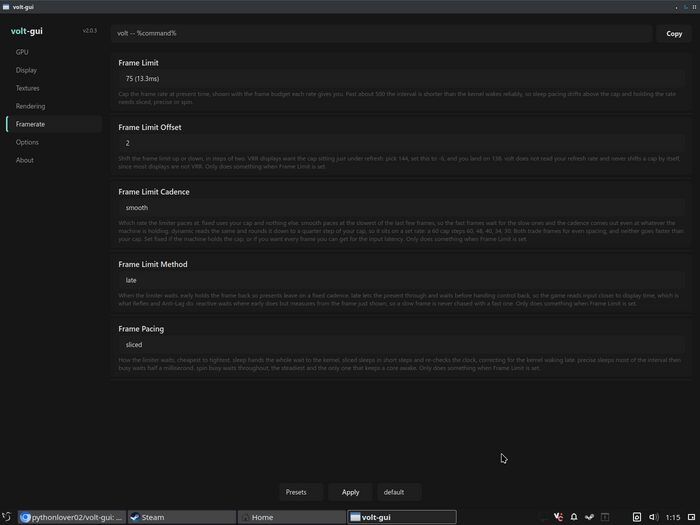
Shortly after the larger rework in version 2.4.0, this update mainly brings GUI improvements: comboboxes for settings, presets and profiles were replaced with sliders, the description text is lighter and easier to read, and the frame limit can now be set in single steps from 1 to 1000.
2.4.1 is a small fix over the 2.4.0 release, mostly changing the GUI side for a cleaner experience (in my opinion, just in case). The most important changes are:
- Settings, presets and profiles are sliders now instead of comboboxes, so no more giant lists going across the whole screen.
- Description text is a bit lighter, it was too dark to read comfortably.
- Removed the icons from the dialogs, warnings and errors.
- Frame Limit Offset is gone, Frame Limit now goes from 1 to 1000 in steps of one, so you can set the exact cap you want.
It isn’t perfect, and I know a slider based GUI is a bit weird, but I think it does the job for now, and you aren’t missing any of the values.
Why sliders and not something like
- [value] +?With a slider you can go from 0 to 600 fps in one drag, while with buttons you’d be clicking one by one. And comboboxes have their own problem, a giant list that takes up the whole window, and you can only pick what’s in it.
I also moved everything to sliders, not just the numbers, because I like things to be cohesive when possible. Otherwise it kinda ticks me off :)
Source: GitHub