
Irori, eine Spielebibliothek mit Launcher, wurde in der Version 1.3.1 veröffentlicht.
Der Hotfix folgte wenige Stunden nach Version 1.3.0, da einige bereits fertige Verbesserungen im Release fehlten.
Neu sind mehr Farben und 64 Icons für Kollektionen, Kollektionen in der Seitenleiste anpinnen, eine neue Gruppe “Accounts & tools” in den Einstellungen und die automatische Erkennung von Zweitlaufwerken auf der Downloads-Seite. Außerdem gibt es Fixes für -latest-Einträge von Proton und Wine, die Frame-Pacing-Auswahl und Store-Badges in der Focus-Ansicht.
This is a quick “hotfix” release just a few hours after 1.3.0! It was 1 AM when I pushed 1.3.0 out the door and I was pretty tired, so I completely forgot to push a batch of improvements I had already finished locally. Consider 1.3.1 the next-morning follow-up to get the rest of those updates into your hands!
Library, collections, and sidebar
- Expanded collection and category colors to 14 curated swatches plus a custom Hue color wheel picker, added 64 curated icons with a searchable “More icons” popover and broader tag-based suggestions, and automatically preserved legible contrast across light and dark themes in tabs, covers, and the sidebar.
- Added sidebar pinning for collections from any collection tab menu, the
Edit tabspopover, or the New/Edit collection dialog, with a right-click context menu on pinned sidebar items to edit or unpin them and a scrollable middle section so Settings and Big Picture stay visible.- Moved Accounts, Wine & Proton (on Linux and macOS), and Emulators into a new “Accounts & tools” group at the top of the Settings sidebar so the main sidebar stays focused on everyday navigation, with an amber indicator on Settings and Accounts when a store login expires and full compatibility for existing shortcuts (
Ctrl+4,Ctrl+5,Ctrl+7), Command Palette entries, and deep links.Storage and drives
- Automatically detected secondary mounted drives (such as extra NVMe drives or external SSDs) on the Downloads page, unified disk labels across Downloads and the Install dialog, and filtered out system, recovery, read-only, and Btrfs subvolume partitions so they no longer clutter the drive picker or cause write errors.
Bug fixes
- Fixed
-latestProton and Wine entries pointing to outdated builds or sorting below newer releases in the Wine manager (sources such as UMU-Proton and Proton-EM now track their newest stable releases while skipping prerelease, nightly, andTESTbuilds, with-latestpinned at the top), and fixed an architecture check whereUMU-Proton-11.0-2eselected theaarch64archive onx86_64systems.- Restored the
LateandEarlyframe pacing selector next to the FPS limit controls in In-game stats even when the FPS limit is turned off, widened the live HUD preview with a symmetric preset stepper, moved Steam launch options into a collapsible bar without duplicate notices, and fitted all six quick presets onto a single row.- Fixed store badges not appearing on covers in Focus view (both on hover/selection and when “Always show” is enabled) and slightly enlarged the Play and “…” hover buttons on Wide Banner covers to match wider artwork.
Documentation
- Updated
README.mdanddocs/FEATURES.mdto reflect Click-and-Play workflows and v1.3 features, and added nine screenshots underdocs/screenshots/.
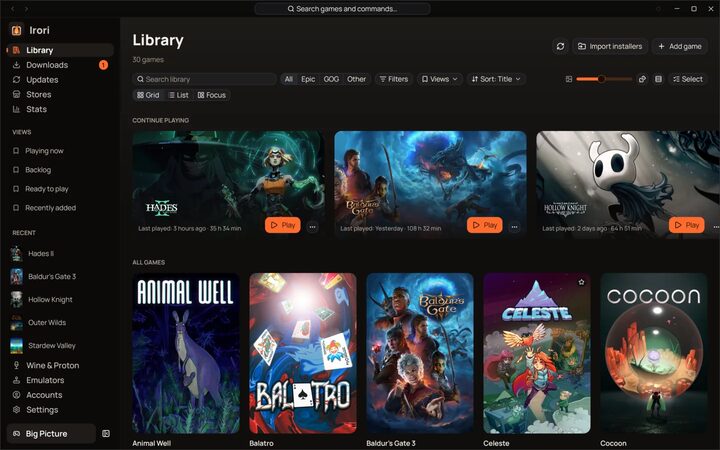
Quelle: GitHub