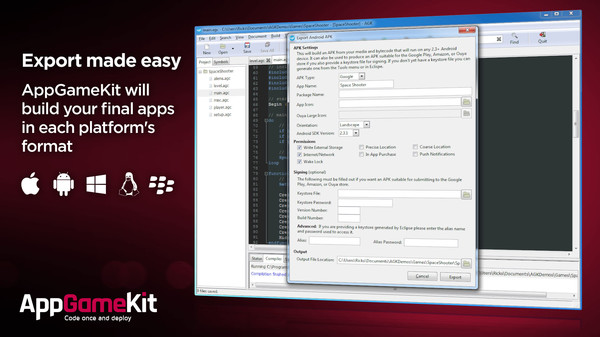
Zu dem Multi-Platform-Editor/Programmiersprache App Game Kit ist ab sofort die Version 2.0.22 erhältlich. Wem AGK nichts sagt: es ist eine Multiplattform (Linux/Windows/Android/MacOS/iOS/HTML5)-Engine und Editor, die es in einem BASIC-Dialekt (auch C++) erlaubt, komplexe Programme (entwickelt wurde sie hauptsächlich für Spiele) zu schreiben und auf einfachste Art und Weise für mehrere Betriebssysteme zu exportieren. Das komplette Changelog:
Text & Fonts Added UTF-8 support to AGK strings Added LoadFont to load a Truetype font into AGK, this can be from a file in your media folder or a system font Added GetFontExists to check a loaded font ID Added GetSystemFontExists to check if the current platform has the specified font Added DeleteFont to delete a font object Added SetTextFont to set a text object to use one of the new font objects Added SetTextAngle and SetTextAngleRad to rotate text objects Added SetTextBold to set all characters in a text object to bold (new fonts only) Added SetTextCharBold to set an individual character to bold (new fonts only) Added UseNewDefaultFonts to use a built in Truetype font by default instead of the default bitmap font, and to set Print text to use the new font All strings that are output by AGK, e.g. to files or HTTP post data, will now be encoded in UTF-8 All strings that are input into AGK in the old Windows-1252 encoding will be internally converted to UTF-8 Text objects using extended ascii font images will have their strings converted back to Windows-1252 when drawn so they continue to display the same as they do now, but the new Truetype fonts are recommended for unicode support Edit Boxes Edit boxes will now use the new default font Edit boxes now support unicode characters Android Restored version 2.3.3 support on Amazon Improved APK export error message on failure Fixed the GameCenter commands on Android causing a crash if the user logs out of Google Games Services outside the app Fixed Amazon APK export not having the In App Purchase receiver set, which would cause a rejection by Amazon. Fixed touch move events not registering on some Android devices Set Android sensors to update at their fastest rate Android sensors will now only activate when their values are first accessed, which will save battery if they are never used iOS Increased minimum supported version of iOS to iOS 7 Fixed GetInternetState on iOS always returning 1 Fixed a crash during app startup on some iOS 10 devices Images Fixed some JPEG images failing to load due to the JPEG loader exceeding its maximum memory usage value Images can now be loaded from Android expansion files using LoadImage(“expansion:ImageFilename.png”), the expansion file must be a zip file with no compression Fixed occasional crash from LoadImageResized on Android devices using the SGX5xx family of GPUs Fixed SGX5xx GPUs sometimes losing image data after the app is sent to the background CreateImageFromMemblock will now produce an error if the image width or height are equal to 0 3D Fixed SetObjectScalePermanent with values less than 1 not scaling down the bone collision boxes on animated objects, this would cause ObjectRayCast to return a hit more than expected for this object Added GetObjectName to return the name of child objects loaded with LoadObjectWithChildren as defined in the model file Animation Fixed SetObjectAnimationFrame freezing the app if called on object instance that was created whilst the original object was playing Shared Variables Updated iOS shared variable commands for iOS 10 SetSharedVariableAppGroup must now be called on iOS for shared variables to work Sound & Music Added SetMusicLoopTimesOGG to set the start and end points for loops Added SetMusicLoopCountOGG to change the number of times a file will loop whilst playing Set a mimimum length on OGG music files to 0.5 seconds to prevent a crash on Android, anything short should be played with LoadSoundOGG instead Fixed CreateSoundFromMemblock using an auto assigned ID failing to choose a valid ID Video Fixed StopVideo on iOS skipping to the end of the video before hiding it Fixed PlayVideoToImage displaying video corruption around the edge of the image on some Android devices Notifications Increased maximum number of local notifications from 10 to 50 Fixed Android notifications not opening the app when the user taps on them In App Purchases Added InAppPurchaseGetSignature to get the receipt signature for a purchase Files Added the command GetFilePos and SetFilePos to get and change the current read position in a file Fixed SetRawWritePath causing a crash when broadcast to a device and the broadcast is stopped Fixed GetFileExists sometimes returning 0 when the file does exist Device Added GetDeviceDPI command for iOS and Android Added GetDevicePlatform command that returns 1 when running on an Amazon device and 0 when on a Google device Camera Fixed SetDeviceCameraToImage causing a crash on some Android devices IDE Added GetAppPackageName to get the Package Name or Bundle ID of the exported app Fixed IDE keystore dialog showing an error message about the country code containing invalid characters if the city field contains a space Exporting Fixed the export settings not loading from the project file if you close a project and then open another without closing the IDE Fixed exporting for Amazon or Ouya with orientation set to portrait causing error code 1 HTML5 Fixed transparent images on HTML5 not automatically setting the sprite transparency flag when used on a sprite Platforms Fixed joystick buttons not working on Linux and Raspberry Pi Blackberry 10 platform is no longer supported Fixed Amazon edit boxes not accepting numbers and not being able to delete some characters Modified Linux player and Tier 2 projects to statically link some libraries which makes the binaries more portable Adverts Changed CreateAdvert to allow the banner size to be set by using the “type” parameter Updated AdMob SDK on iOS to version 7.15.0 Firebase Added Firebase analytics support to Android and iOS (exported apps only) Added FirebaseLogEvent() to log events with Firebase Misc Using SetWindowAllowResize to disable resizing will now also disable the maximize button on Windows Added Sha256 and Sha512 commands Tier2 (C++ and XCode templates) Changed Tier 2 templates to enable returning 1 from the App::Loop function to close the app where possible Fixed Tier 2 Windows template projects not setting the agk::GetPaused() return value when the window goes to the background Added agk::DeleteString to delete AGK returned strings for Tier 2 users who may be using a different C runtime library than AGK
Mehr Informationen: Seite des Herstellers AGK Steam Seite