
PenguinBurner was released in version v0.8.4.
PenguinBurner is a tool for managing and optimizing GPUs on Linux, focused on power management, undervolting, and performance tuning. It follows shortly after version v0.8.3.
New are a redesigned in-game overlay, NVIDIA hotspot temperature, DLSS 5 GPU timing via OptiScaler, and keyboard shortcuts for overlay controls.
- Redesigned in-game overlay with clearer text, customizable layout, sizing, position, background opacity, and presets. Thanks @Ernold11!
- NVIDIA hotspot temperature and separate graphs for present-call and displayed-frame timing, where supported.
- Improved latency reporting with Reflex driver measurements and a clearly labeled estimated fallback.
- DLSS 5 neural-rendering GPU timing through supported OptiScaler interfaces.
- Keyboard shortcuts for overlay controls, with easier setup on KDE and GNOME and fixes for pip user installations.
- Reduced overlay rendering overhead and fixed a Vulkan layer deadlock.
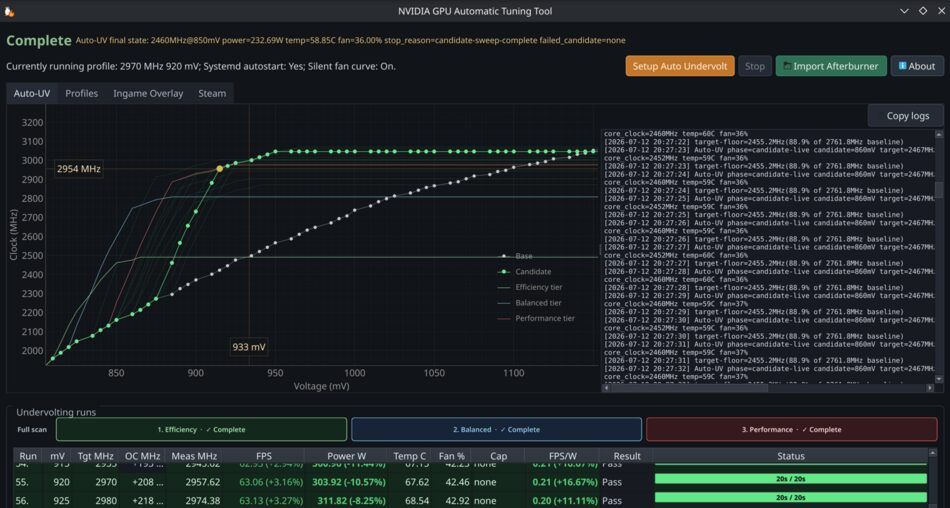
- More reliable Auto-UV verification: recheck conflicting Performance results and wait for Q2RTX to start rendering before verification begins.
- Fixed profile verification rejecting its own daemon job and preserved saved GPU bindings.
- Fixed hardware-service installation with older SELinux policies, preserved the desktop user during CLI elevation, and improved setup error reporting.
- The Game Library now opens sorted by recently played.
Source: GitHub