
Hoard has been released in version 1.2.2.
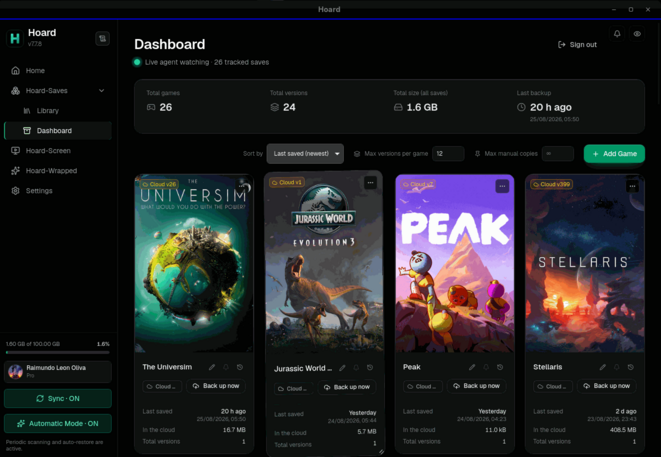
Hoard is an open-source tool that automatically backs up and syncs game saves across devices, with versioned snapshots, detection of over 20,000 games, and support for numerous emulators.
The new version brings a unified installer (Hoard Setup): one Hoard per machine, updates no longer ask for a password, and the .deb, .rpm, NSIS and MSI packages are gone. On Linux the app is installed as an AppImage. Fixes include a massive memory usage of the Panel on WebKitGTK 2.54, a broken Flatpak autostart entry, and swapped accounts when a Flatpak and a native Hoard are installed side by side. On SteamOS, “Sign in” no longer opens Discover.
An easy download of the binaries is available directly at hoard.services/download.
Added
- What Pro is, inside the app. Every Upgrade button opens a page in the app that puts Free and Pro side by side, monthly or yearly, with the same numbers and words as the website. The card form only opens from its Continue button. Until now the button went straight to the payment form, which answered “what is Pro?” with a request for a card.
- An app downloaded on its own gets a proper install. An AppImage,
.exeor.apptaken from the release page and opened without Hoard Setup ran with nothing recording it: the service never updated it, and the bare Windows.exehad no service to sync with at all. The first time it opens it hands its own file to Hoard Setup, which records it and puts the engine from the same release beside it, without downloading the app again. Once per machine.Changed
- One installer, one Hoard per machine. Hoard Setup is now the way Hoard gets onto a machine, updated and taken off, and the scripts and
hoard installrun the very same steps. The engine and the terminal live in one place only (~/.local/bin,%LOCALAPPDATA%\hoard\bin), and the app is a file Hoard Setup puts beside them: an AppImage on Linux, a plain.exeon Windows, the.appon macOS. Updates no longer ask for a password, so they apply on their own everywhere; the one prompt left is the offer to take an old.debor.rpmoff, once, and a no keeps it. The.deb,.rpm, NSIS and MSI packages are gone from the download page.- Installing or updating takes over from any older Hoard. Up to 1.2.1 the app packages carried a second copy of the engine, and a machine that went through two installers could end up with the app on one version and the sync engine on another, for good. Now every install stops whatever Hoard is running, takes off what older releases left (the package, the old Windows folder, stray copies of the engine), starts the service from the new engine and checks that the engine answering is the version just installed. A package that needs a password is offered for removal the next time somebody opens the app, through Hoard Setup, once. Keeping it is fine: it stays the app, and the engine beside it goes on updating itself.
- Uninstalling from Windows Settings removes everything. The entry in “Installed apps” runs Hoard Setup now, which removes the app, the engine, the login task and the shortcuts. The old uninstaller only knew its own folder, and the sync kept running after it.
- Dropdowns, covers and storage, redrawn. Every dropdown in the app is Hoard’s own now, with the keyboard and type-ahead, instead of the list GTK or Windows painted over the theme. A game with no cover gets a “Please stand by” card on the Panel and an outline in the Library. The storage figure says whether it is your server’s or the cloud’s, and the Panel’s total is what the saves take up on this disk. Settings, under About, says how this copy was installed (Flatpak, AppImage,
.deb…), which tells two installs on one machine apart.- The tour explains storage and sync. New steps say why the two storage numbers differ (this disk holds the current version, the cloud keeps the history too) and what Sync does while a game is running. The first-run steps show where you are with dots.
- Three exports a day on Hoard Cloud. A fourth account export within 24 hours is refused with
export_limitand a time for the next one. A failed export doesn’t count, and asking again while one is running still returns that one.- The Hoard Cloud rate limit keys on the real address. It read the leftmost
X-Forwarded-Forentry, which the client writes, so a client changing it on every request was never limited. It reads the address the proxy saw now (server.rate_limit.client_ip_header,fly-client-ipon Fly). A self-hosted server behind a proxy that overwrites a header, such as nginx withproxy_set_header X-Real-IP $remote_addr, can use the same setting.Fixed
- Hoard Setup no longer asks for an administrator on Windows. Windows takes any program described as “Setup” for an installer and demanded elevation before running it, although everything it installs goes into the user’s own folder. It now says so in its manifest and opens like any other program.
- The install scripts no longer fail behind a shared address. They read the latest version without GitHub’s API, which allows 60 requests an hour per address, and they refuse a download whose checksum is missing instead of installing it unchecked.
- The Panel could eat all the memory on Linux. On WebKitGTK 2.54, the version the Flatpak gets on the GNOME 50 runtime, the frosted chips and buttons on the Panel made the page grow by about 280 MB a second until RAM and swap were gone and the whole desktop froze, with the Panel sitting empty and “loading” all along. Linux drops every backdrop blur now, as the sidebar and the cards already did for WebKitGTK’s black rectangles, and the Panel holds at about 300 MB with the GPU still drawing it. Windows and macOS keep the glass.
- The Flatpak broke the login entry on the host. Every start of the Flatpak rewrote
~/.config/autostart/Hoard.desktopon the host with/app/bin/hoard-desktop, a path that only exists inside the sandbox, so nothing opened at the next login; on a machine with the .deb as well, it was the native app’s own entry that broke. Inside the Flatpak the window no longer registers itself: login start there belongs to “Sync in the background at login”, through the desktop portal, and Settings hides “Open the Hoard window at login” and “Start minimised”, which it can’t honour.- The Flatpak no longer offers updates it can’t install. It showed the “new version” button like any other copy, and the button fetched Hoard Setup into the sandbox, where Setup refused to run. Flatpak updates the Flatpak.
- Two Hoards on one machine no longer trade accounts. A Flatpak and a native Hoard read and wrote the same keyring item, so signing in on one switched the account the other’s service ran on while its files stayed put: a save added in the Flatpak went into one account’s list, the engine watched another’s, and it never uploaded. The Flatpak keeps its own item now and takes its session from the shared one once, only when it is the same account (a native Hoard signed into that account has to sign in again). The app also follows the account of the token the service lends it, so what it writes and what the service watches land in the same place.
- Automatic mode respects what you take away. Turning it on runs a detection pass at once, and each pass tracked again the games you had just stopped tracking, under a new id every time: one player removed the same 17 games five times. A game you stop tracking or delete while automatic mode is on is remembered and left alone; adding it by hand brings it back. The service log says whether automatic mode is on and why each pass ran.
- Detection takes less that isn’t a save. An Unreal game’s
Savedfolder is taken only through itsSaveGames, without the logs, crash dumps and shader caches beside it (2.9 GB for one game). A browser, AMD’s and MSI’s overlay tools and a few other helpers are no longer taken for games, and a running emulator is recognised as itself instead of as a game that shares its executable’s name.- Signing in no longer hands over the previous account. Signing out and back in with another account a few seconds after a token refresh gave the new session the old account’s tokens, and the service ran on that account until the next refresh, 45 minutes later. Right after every sign-in the engine also started twice, and the second start cut the first sync short.
- The sign-in tokens no longer reach the log. The
hoard://link the browser hands back carries the session’s tokens, and the app wrote the whole link to its log, which travels with diagnostics and with Hoard-help reports. Only the scheme and path are logged now.- A crafted sign-in link can’t send the session elsewhere. The web sign-in passes the session to the app at
http://127.0.0.1:<port>, and the port came from the link unchecked:?port=1@example.comwould have delivered it to another host. Only a bare port number is accepted now. The page also waits longer for the session: it says it is still working after 10 seconds and that something went wrong after 20, and still delivers a session that arrives late.- AppImageLauncher no longer stops Hoard at login. With AppImageLauncher installed, every start of the AppImage (the login entry, a
hoard://link, a relaunch after an update) brought up its offer to integrate the file instead of opening Hoard, and accepting it left a second launcher in the menu. The AppImage now says, inside itself, that it is not to be integrated: Hoard Setup already gives it its menu entry and keeps it up to date.- Signing in on SteamOS opened Discover. From the AppImage, “Sign in” reached the stub
firefox.desktopSteamOS ships to offer installing Firefox, even with the Flatpak Firefox installed. The browser is now picked with the session’s own order.- The self-hosted panel’s login throttle held behind nginx. With a trusted proxy, the address was read from the left of
X-Forwarded-For, which nginx’s stock line leaves to the client. It is read from the right now: the last address one of your proxies vouched for.- macOS: a failed install no longer leaves the sync off until the next login. Bringing the service back after a failed step asked launchd to restart an agent it had just unloaded; it loads it again now.
- Hoard Setup on Linux minds its own user. It counted another account’s Hoard as this one’s: it waited for it to close and reopened an app that had not been open.
- Windows no longer asks about the app on every start. The app copied out of Downloads kept its “came from the internet” mark.
hoard upgradesays when the install has to be moved first, and points athoard install, instead of reporting an update that was “not downloaded yet”.- Escape in a dropdown no longer closes the dialog around it, along with whatever had been typed in it.
Source: GitHub