
OpenSave, a tool for peer-to-peer synchronization of game saves between devices, has been released in version v2.4.0.
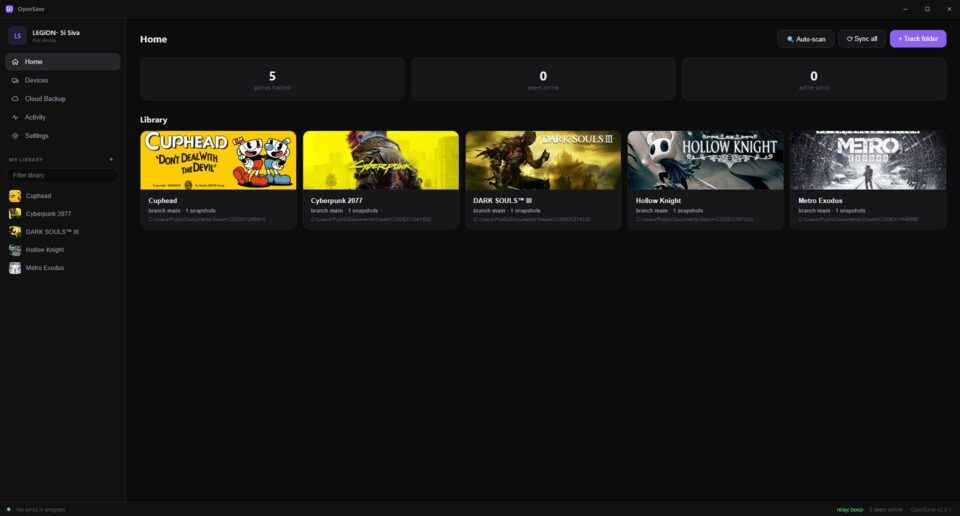
After multi-root saves in version 2.3.1, this is the biggest update OpenSave has had so far: saves that travel between devices over the internet are now end-to-end encrypted - neither the relay server nor anyone else with the room code can read them. It also brings a new interface with a Home view, activity timeline, notifications, a pause button, and a Mac app for the first time. Several data-loss bugs were fixed as well.
Everything from the four 2.4 betas below, now stable. Coming from 2.3.1, it is the biggest update OpenSave has had.
Saves that travel between your devices over the internet are sealed so that only those two devices can read them - not the relay, and not anyone else who has your room code - and each device shows, pairing by pairing, whether that protection is on. Both devices need 2.4 for it, and an internet pairing made on an earlier version has to be made again; the app tells you which.
Your saves are safer in ways that were hard to see from the outside. A deleted save no longer comes back, an emptied save folder no longer empties your other devices, “Keep both” keeps both, a conflict that was never there is no longer raised, and snapshots are checked in the background and put back from their cloud copies when they are damaged.
Around that, the app is new: a Home that says where your saves stand, an Activity timeline, notifications, a library you can lay out and sort, a pause button, keyboard and controller navigation, a light theme and accent colours, Switch games named from your emulators, and a new Windows installer. There is a Mac app for the first time.
Since the last beta: a cloud backup that fails is sent again, OpenSave notices when another program answers on its port, and the relay’s certificate error names the likely cause.
One thing to know before you update: 2.3.1 cannot read what 2.4 writes. If you might want to go back, copy the
.opensavefolder in your home folder first.
Source: GitHub