
Deck Shelves has been released in version 3.3.1.
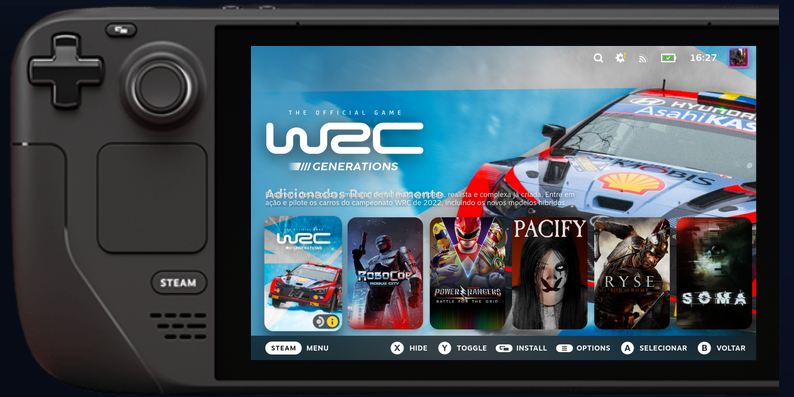
Deck Shelves is a Decky plugin that organizes the Steam Deck home screen into customizable, filterable and sortable shelves.
One week after version 3.3.0, the project now recommends ShelvesHub as the preferred way to install - no Decky Loader needed. Also new: a Steam library location filter (internal, SD card/USB, network), the “Compose with” shelf action for merging shelves, and a much more reliable cross-device sync.
Added:
- New recommended way to install: ShelvesHub, a standalone host with one-click installers for Steam Deck, Linux, macOS and Windows and automatic updates
- Screensaver now shows a fair mix from every shelf, resumes where it left off, and can optionally show the game’s description and official online screenshots
- Compatibility icons that fit your device: Steam Deck rating on SteamOS, controller-support icons on macOS, Windows and desktop Linux
- New filter: Steam library location (internal storage, external drive, network library), plus a matching auto-switch trigger, e.g. when your SD card is connected
- New shelf action “Compose with” to merge another shelf’s games into a shelf (backup saved automatically)
- System information and bug reports now show SD card and USB/external drives too
- Release notes, feature list, README, changelog and guides now also available in Portuguese
Fixed:
- Auto-switched profiles no longer revert a Smart Shelf’s settings
- Card shadows and compatibility with CSS Loader themes (Switch Like Home / Switch-like Banners) improved
- Cross-device sync now merges changes shelf by shelf instead of overwriting; disappearing shelves fixed
- Active profile now stays on the device it belongs to instead of syncing to other devices
- Brief visual flash when pressing down past the last shelf fixed
Source: GitHub