
Amethyst Mod Manager has been released in version 2.4.1.
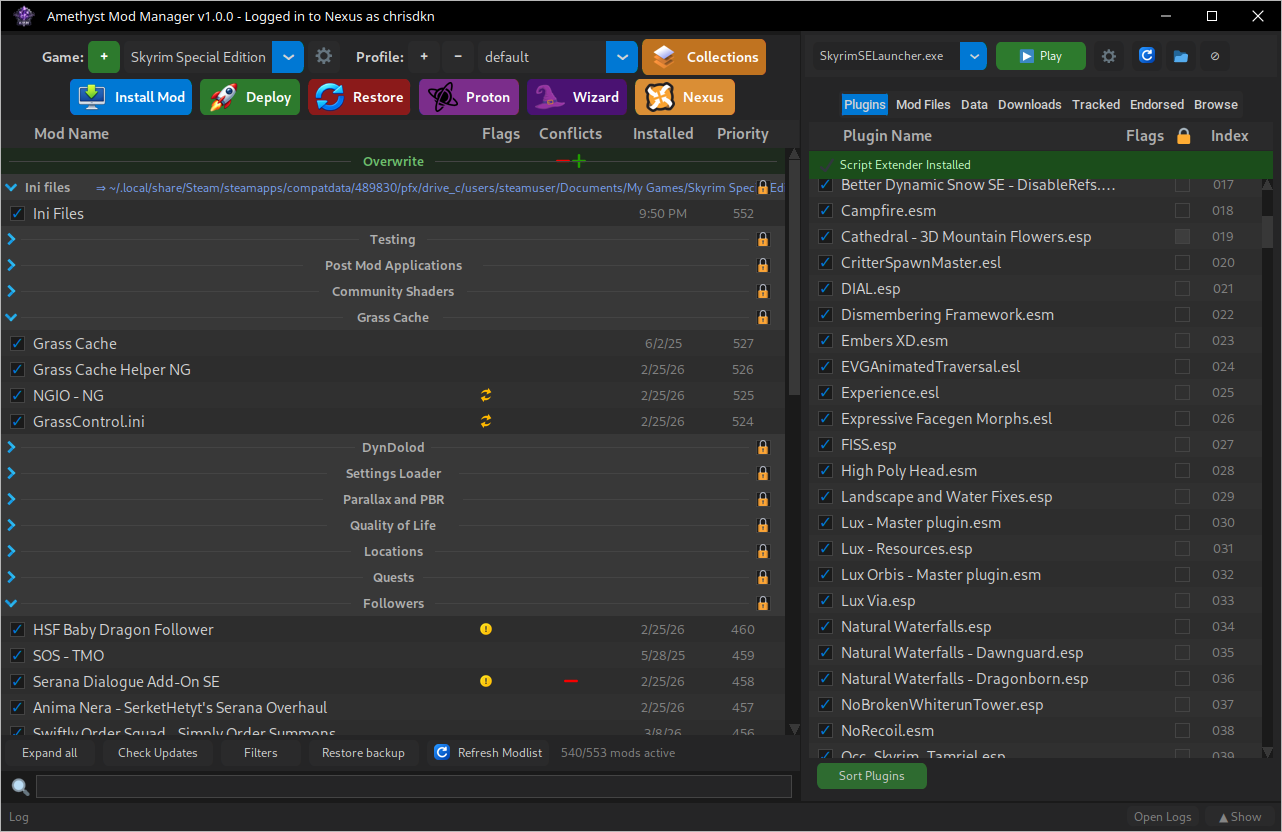
Amethyst Mod Manager is a Linux-native mod manager in the style of Mod Organizer 2, supporting nearly 100 games - including Baldur’s Gate 3, Cyberpunk 2077, Skyrim, the Fallout series and Starfield.
New in this version are right-click mod grouping, customizable keybinds, an interface for managing the overwrite folder and wizards for the Fo3 BSA Decompresser and ESM Patcher. Larger modlists now load faster, and applied filters persist after a restart.
Additions:
- Added a right click option to group mods together
- Added keybinds for opening the settings menu, installing a mod and creating an empty mod
- Added the ability to change keybinds in the settings menu
- Added support for sites that use the modl schema for direct downloads
- Added an interface for managing the overwrite folder (Overwrite separator > Manage overwrite)
- Added Wizards for Fo3 BSA Decompresser and ESM Patcher
- Added a downloaded date column to the downloads tab as well as column sorting
- Added xlodgen wizards to other games that use it
- Added an option to hide archives in the downloads tab and a filter to show hidden archives
Changes:
- The reshade wizard now downloads and installs the add-ons version of reshade
- Mod priority and version numbers in their columns can now be clicked to change them
- Applied filters now persist when relaunching the application
- Changed expanding/collapsing separators to a double click, or single clicking when pressing the arrow
- The Fomod step name is now shown in the Fomod window #472
Bug Fixes:
- Fixed an issue where deferred Fomods in a collection install may not appear #443
- Fixed larger modlists taking a while to load
- Fixed an issue where the notification window would appear when the manager is minimised
- Fixed modlist state loss after folder name sanitization
- Fixed custom deploy paths in separator settings not working
- Fixed excessive cache lookups on collection installs causing smaller mods to take longer to start downloading than usual
Source: GitHub