
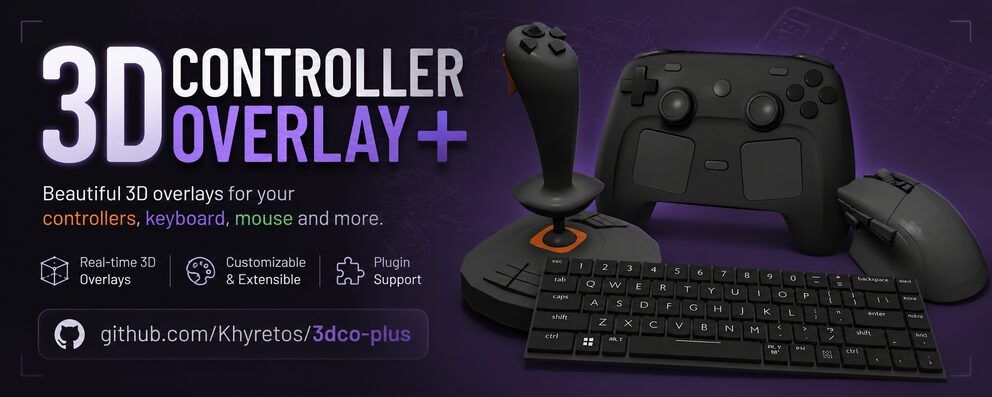
3D Controller Overlay + (3dco+ for short) has been released in version v1.4.0 - shortly followed by version 1.4.1 with important bug fixes.
Following version 1.3.3, the app now shows a “What’s New” window after updates, adds a new section for bundled models and optionally checks for new versions. Also new are smoother text (Noto Sans with color emoji) and much lower CPU usage. Version 1.4.1 makes keyboard and mouse work over the network, and the AppImage now reports its version, e.g. to Gear Lever.
Changes in version 1.4.0:
A release about knowing what you’re running and what changed. The app now tells you when it’s been updated, what’s new, and when a newer version is out, and it can hand you models that shipped after your first install. Along the way the UI moved to a smooth new font with full color emoji.
🆕 “What’s New” after every update
The first time you open a new version, a short window shows that version’s release notes, the same text as this page. It appears once, never on a normal launch, and not at all on a fresh install.
If the update ships models you don’t have yet, they’re listed in the same window with a checkbox each (pre-ticked), so you can add them in one click. Previously, new bundled models only ever appeared if you deleted your whole models folder.
📦 New: Bundled Models section in Settings
Every model that comes with the app, with its status in your library:
- Add a missing one (or Add All Missing).
- Restore… one to its original bundled version, handy after experimenting with a model’s bindings or travel. You’re asked to confirm first, and your current version isn’t deleted: it’s moved to
model_backupsin the data directory, so nothing is ever lost.🔎 Update check (optional)
On startup, the app asks GitHub whether a newer release exists. If so, you get a popup with its release notes, an Open Download Page button, and a Don’t remind me about this version checkbox; the next release will still be announced. Nothing is ever downloaded or installed automatically.
Turn it off, or check by hand, from Help in Settings (Check for updates on startup / Check Now). If GitHub can’t be reached, nothing happens and nothing is shown.
🏷️ The version is visible everywhere now
- The Settings window title (so also the taskbar/dock) and the tray icon tooltip.
- Windows: right-click
3dco+.exe→ Properties → Details.- macOS: Get Info on the app (it used to say 1.0 for every release).
- The Help section, as before.
🎨 Smoother text and color emoji
The UI font is now Noto Sans, rendered through FreeType, replacing ImGui’s built-in pixel font. Text is smoother, scales cleanly (Input History’s Font Size especially), and characters that used to show up as
?now render: dashes, curly quotes, arrows, check marks, and full-color emoji (Twemoji).⚡ Lower CPU usage
A performance pass aimed at keeping the overlay out of your game’s way:
- Frame cap is actually respected now. The Settings window used vsync, which quietly made the whole app, controller windows included, render at your monitor’s refresh rate instead of the Frame Cap. On a 144 or 240 Hz monitor that meant 144/240 frames per second instead of the default 60.
- Settings throttles itself in the background. While another window (your game) has focus, Settings redraws 10 times a second instead of every frame, and not at all while minimized. It’s back to full speed the moment you click into it.
- Much cheaper per-part rendering. Shader uniform lookups no longer allocate memory, and models with a shader effect no longer check every built-in shader’s file on disk for every part, every frame. In testing with the 168-key keyboard model, main-thread CPU per frame dropped by about half, and by about 60% with a shader effect applied.
- Less work switching between windows each frame (GL function pointers are no longer reloaded when they’re identical), fewer blocking window-system queries on Linux, and the controller window’s right-click menu only runs while it’s open.
Changes in version 1.4.1:
A bugfix release for two things that didn’t work the way they should: keyboard and mouse over the network, and the version number of the Linux AppImage.
🌐 Keyboard and mouse now work over the network
Until now, a network receiver only ever showed controller and joystick input. Keyboard and mouse models stayed dead on the receiving end, even though the sender was supposed to forward them. Three separate problems were behind it:
- Keys never matched. The receiver compared each binding’s key name (stored as
key_w,key_left shift, …) against SDL’s mixed-case names (W,Left Shift), so no key binding ever lit up. It now uses the same key lookup as local input.- Mouse movement was always zero. The sender read the mouse’s movement a second time after it had already been taken for the frame, so it only ever sent zeros. It now sends the real movement, added up between packets so nothing is lost at lower send rates, and steady movement is no longer dropped as “unchanged”.
- Scroll wheel and mouse buttons 6 to 8 weren’t sent at all. They are now.
- Only what the model uses is sent. The sender used to forward every key you pressed. Now it only sends the keys, mouse buttons, mouse movement and scroll that the window’s model is actually bound to, so ordinary typing never goes over the network.
Both machines need 1.4.1: an older sender still has the mouse movement problem, and an older receiver still has the key problem.
🏷️ The AppImage now reports its version
AppImage installers and managers (AppImageLauncher, Gear Lever and similar) showed no version for 3dco+, because the AppImage’s desktop entry never included one. It now carries
X-AppImage-Version, set from the same version that’s built into the app, so the installed entry shows 1.4.1. The app itself (Settings title, tray tooltip, Help) already showed the right version and is unchanged.
Source: GitHub