
SaveState has been released in version v3.0 “The Original Xbox Update”.
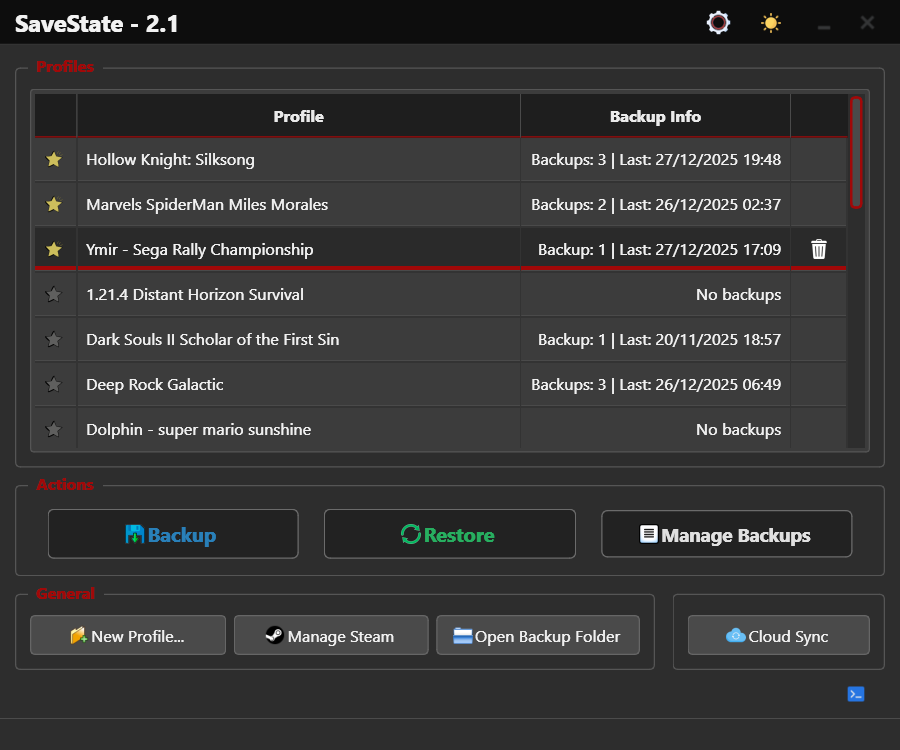
The tool is a user-friendly GUI application for Windows and Linux that lets you back up and restore video game save files, preventing progress loss and keeping saves in sync across multiple devices via cloud storage.
The largest release in the project’s history brings native xemu and original Xbox support, a completely rewritten Linux save discovery engine, a redesigned multi-profile dialog, instant keyboard search, and modernized notifications.
Native xemu and Original Xbox Support: SaveState now officially supports xemu, the original Xbox emulator. Unlike traditional backup methods that copy the entire virtual HDD, SaveState can locate, extract, and restore the data belonging to an individual Xbox title while leaving every other game on the HDD untouched. The FATX and QCOW2 handling engine was built specifically for SaveState in pure Python, without external FATX libraries and without requiring or launching QEMU.
Linux Save Discovery Engine Rewritten: The heuristic save-path discovery engine has been almost completely rewritten, providing significantly better detection across native Linux games, compatibility layers, alternative package formats, and non-standard installations. This includes improved Proton prefix discovery, expanded Steam detection (Flatpak, Snap), better support for Wine, Heroic Games Launcher,
.desktopshortcuts, and respect forXDG_DATA_HOME/XDG_CONFIG_HOME.Multi-Profile Dialog Redesign: The multi-profile dialog received a complete visual overhaul to match the interface introduced with SaveState 2.0 and 2.1, with a modern theme-aware interface, cleaner profile cards, and readable save paths.
Instant Keyboard Search: Keyboard input is now routed directly to profile search as soon as the main window opens - no click or manual focus required.
Escapeclears the current search instantly.Redesigned Backup Notifications: Notifications now display profile icons, use a modern card layout, support stacking, and scale correctly on HiDPI displays.
Source: GitHub