
DLSS Updater has been released in version 4.6.3.
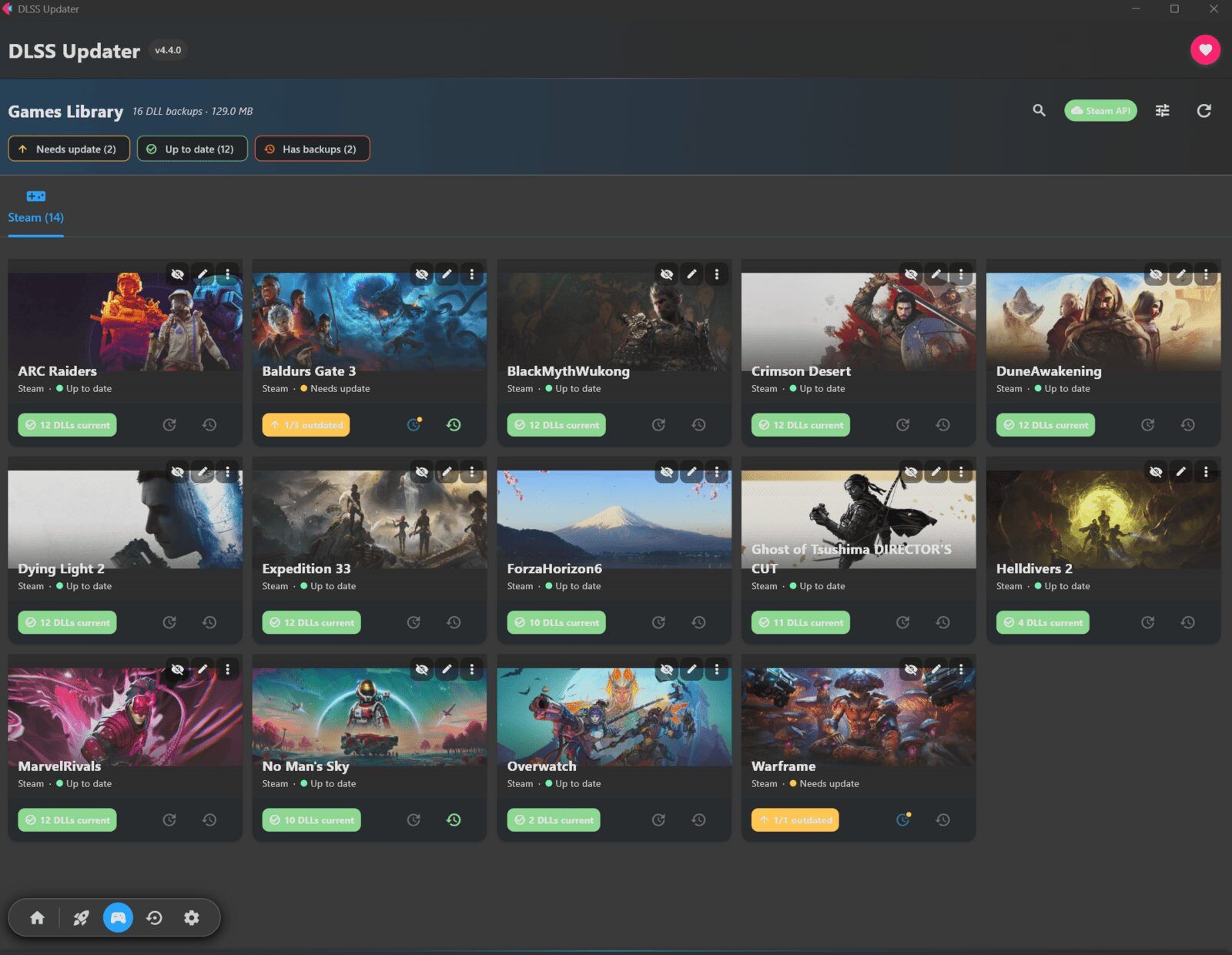
The tool scans the games installed on a system and replaces outdated DLSS, XeSS, and FSR DLLs with newer versions - including automatic backups for rollback. Version 4.6.3 is mainly a visual polish pass across dark and light mode: the hub now shows game covers with a proper caption overlay instead of the previously broken scrim, the backup view gets summary tiles (total, disk space, most recent), and real artwork for unlinked games. Several smaller display bugs were also fixed.
- Visual polish pass across every view, in both dark and light mode.
- Hub: the Games hero now has a proper caption scrim (the old one never rendered), a unifying tint over the cover mosaic, and a visible edge in light mode.
- Backups: summary tiles (total / disk space / most recent), real artwork for unlinked games, and a calmer outlined “Clear All Backups” button.
- App bar: new “N updates available” pill on the views that don’t already show the count (Launchers, Backups, Settings), jumping to the Games library on click; the heart button is now a quiet outline that fills on hover.
- Launchers: Custom Folder tiles no longer look like they have a focus ring, and the last grid row scrolls clear of the action bar instead of being clipped.
- Fixes: settings watermark icons no longer clip under the chevron, the floating nav pill no longer looks stamped-on in light mode, long game titles truncate instead of wrapping into the artwork, and launcher path-status icons (green check / amber warning) now actually update.
Source: GitHub