
3D Controller Overlay + (3dco+ for short) has been released in version v1.0.0.
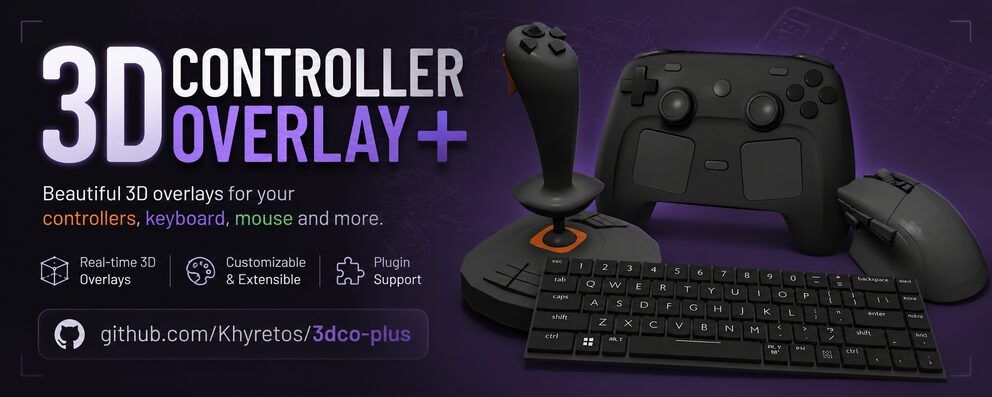
3dco+ is an overlay tool that shows controller, keyboard, and mouse input in real time as a customizable 3D model - handy for streamers and content creators who want to display their inputs without a camera on their hands.
The fork of the original tool by Larf brings custom 3D model import (FBX, glTF, OBJ), gyro support with drift correction, and ready-made builds for Linux, Windows, and macOS.
✨ What’s new in 1.0.0
This fork builds on the original 3D Controller Overlay by Larf. The
+brings a massive set of improvements:🖥️ Rendering & Customisation
- Custom model import via Assimp (FBX, glTF, OBJ, etc.) - assign meshes to controller parts directly in the app.
- Pivot-point editing - drag any mesh’s pivot in the 3D viewport instead of editing raw numbers.
- Per-part material alpha - make individual buttons transparent if you need to.
- Dual-highlight colors for axes (positive vs. negative) with adjustable deadzone.
- Touch-area visualisation - see exactly where the touchpad hit-box is on your mesh.
- Multi-touchpad support - up to 4 pads x 2 fingers each.
🎮 Input
- Keyboard & mouse overlays (system-wide) - works even when the app doesn’t have focus.
- Raw joystick fallback - if SDL doesn’t recognise your controller, you can still map it manually.
- Gyro & accelerometer - sensitivity, drift correction, and a configurable reset button combo.
- Manual mapping UI - bind any button, axis, or hat to any mesh, with inversion support.
🔧 Engineering
- Structured logging (spdlog) with an in-app log window.
- CMake build system + Docker cross-build scripts for reproducible packaging.
- AppImage, Windows
.exe, and macOS universal.appbuilds via GitHub Actions.- Embedded model library - the bundled models are packed into the binary, no separate assets folder to lose.
- Updated to SDL3 and latest Dear ImGui for better performance and bug fixes.
Source: GitHub