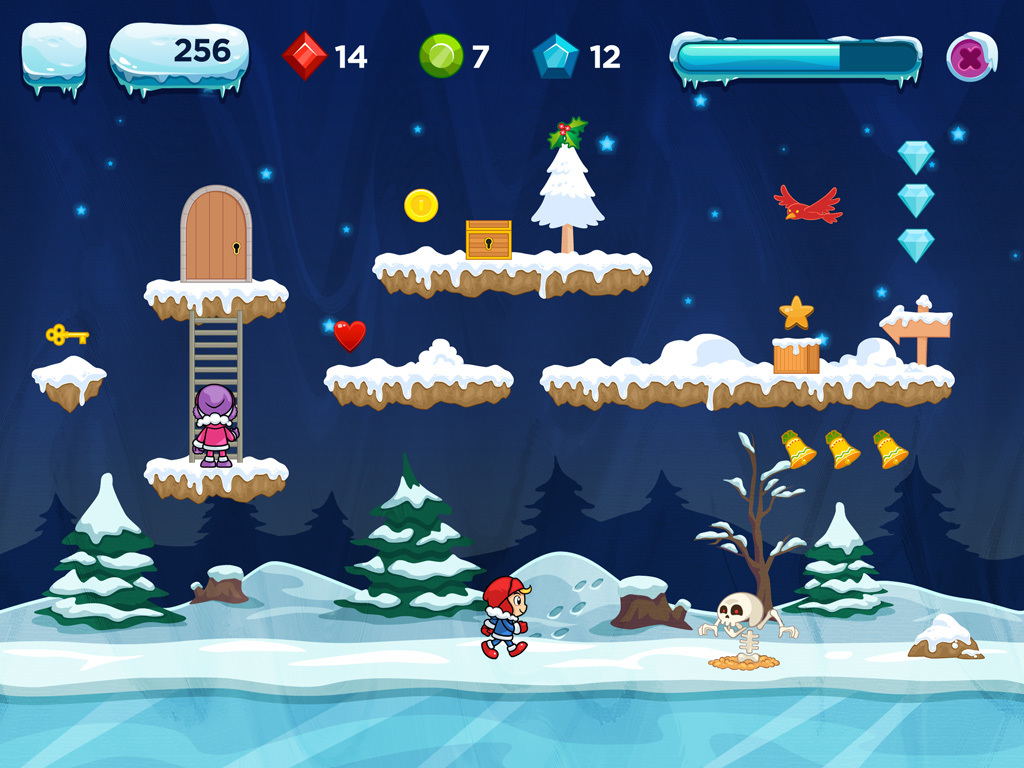
The new Version 2017.12.12 of AppGameKit (aka AGK2) adds again a ton of new features and improvements. Worth noting this time is the extension of the physics-simulation Box2D and access to Text-to-Speech-functions for mobile devices in the engine. Also a free set with xmas-styled-graphics has been released. The Changelog for this version:
What’s new in Version 2017.12.12? Box 2D Updated Box2D to version 2.3.2, but without the auto convex hull code, polygon vertices must still be convex Multiple 2D collision shapes can now be assigned to an object without it being set up for physics Shape properties like friction, restitution, and collision filters can now be modified on a per shape basis instead of one value for all shapes The SetSpriteShape commands can now change previously added shapes on a per shape basis Added GetSpriteNumShapes command to return the number of shapes currently assigned to a sprite Added GetSpriteShapeNumVertices command to return the number of vertices in a polygon shape Added GetSpriteShapeVertexX/Y commands to return the X/Y coordinates of a polygon vertex Added SetSpritePhysicsDensity to set the density of a shape Added SetJointMouseMaxForce command to limit the amount of force the mouse joint can use Added SetJointDamping command to set the softness parameters for distance, line/wheel, weld, and mouse joints Added CreateRopeJoint to limit the max distance between two sprites Added GetSpritePhysicsCOMX/Y to get the current center of mass for the physics shape Added SetSpriteShapeChain and AddSpriteShapeChain to create 2D chain shapes, these are the most suitable shape for 2D terrain Added ChainShape example to the Physics folder to demonstrate a simple 2D terrain Text To Speech Added TextToSpeech commands for iOS and Android Added TextToSpeech example project to the Sounds folder iWatch Added commands to communicate with an Apple smart watch, the smart watch app must be created outside of AGK Sprites Added GetSpriteTransparency to return the current transparency mode of a sprite Added SetObjectBlendModes to set the transparency blend modes manually, also added SetObjectTransparency mode 3 to use these manual values Skeletons & Tweening Added new commands to pause and resume tweens Fixed SetSkelton2DFlip causing an incorrect animation if the root bone has a positional offset Shaders Added DeleteShader command and GetShaderExists commands The GetTweenPlaying commands will now return 1 if the tween is currently playing as part of a tween chain 3D Fixed shadows disappearing or causing a crash on Android when the app goes to the background Fixed shadow artifacts on some Android devices when the scene has large polygons Fixed animated objects causing incorrect shadows if an object with more bones was loaded after an object with less bones Screen Recording Increased audio quality on Android when using StartScreenRecording JSON Improved the speed of to JSON for both arrays and types when using large data structures Windows Fixed XInput1_3.dll missing error when running the 64-bit version of the player on Windows 8 or above Fixed GetDeivceID on Windows returning different values on the same machine in some cases Edit Boxes Tapping outside an editbox to stop editing will now record a touch press with the GetPointer commands Fixed editbox text shifting slightly after using SetEditBoxText and then editing the text Fixed arrow keys adding characters to editboxes on Mac Fixed SetEditBoxCursorPosition not working on iOS until the editbox regains focus Fixed GetEditBoxLines not counting a new line unless a character existed on it, the line will now be counted as soon as the return key is pressed Networking Added GetNetworkExists command Fixed calling CloseNetwork whilst a connection was still in progress causing the app to freeze Arrays Array .sort() now accepts an optional parameter to ignore case when sorting strings, e.g. sort(1) to ignore case Linux Fixed SetWindowAllowResize being called after SetWindowSize on Linux causing the window to revert to its original size Android Fixed Android apps closing when a hardware keyboard is attached or removed Images Fixed GetImageChosen returning the last valid image choice when the user chooses cancel iOS Export Please note that the iOS export now requires XCode to be installed on your Mac due to iOS 11 changes, and the app icon must now be 1024x1024 pixels in size Tier 2 Added VS2017 template project and AGK lib to the Tier 2 folder on Windows We hope you enjoy the new commands and the free Christmas graphics. We’ll be back in 2018 with more cool improvements to AppGameKit!
AGK2 is a multi-plattform 2D/3D game-engine and development environment (IDE) for Linux, MacOS and Windows. Programs and games can be developed in a BASIC-like dialect or in C++ and the developed programs can be run on/exported for Linux, Windows, MacOS, Android, iOS and HTML5. More information on AGK2: Homepage of AGK2 AGK2 on Steam Tutorial Playlist on YouTube