
Der Decky HelixSR Manager wurde in den Versionen v0.12.0 und v0.13.0 veröffentlicht.
Version 0.12.0 bringt den experimentellen Modus HLX FSR 4 Full, 0.13.0 führt den HelixSR Scaler für Spiele ohne OptiScaler ein - inklusive HLX DLSS auf dem Steam Deck.
Änderungen in Version v0.12.0:
New: HLX FSR 4 Full (experimental)
HelixSR 3.2.1 and newer also ship HLX FSR 4 Full, AMD’s full FSR 4 network: a sharper picture than HLX FSR 4, but noticeably slower on the Deck (how much depends on the game and settings). If a game uses its own OptiScaler, the plugin can now install it there:
- Install HLX FSR 4 Full … via OptiScaler (experimental), or Use HLX FSR 4 Full … instead when HelixSR is already installed. Use HLX FSR 4 Lite … instead switches back.
- The status shows ✓ Working with the render size once Full has upscaled; if it can’t run on your device, the status says so.
- In OptiScaler’s menu (Insert), Full is listed as “FSR 4.1.2”; that’s its own name.
- Tested on a Steam Deck OLED with HelixSR 3.4.0 and The Witcher 3. HelixSR 3.4.0 is recommended.
Clearer names
The panel now calls HelixSR’s regular HLX FSR 4 HLX FSR 4 Lite, so it’s easy to tell apart from Full. Nothing changes for games that already have it.
Other
- Checked against HelixSR 3.3.0 and 3.4.0.
- README: The Witcher 3’s DLSS now works without changing the game’s .exe through proton-wineland (installed with ProtonUp-Qt); the .exe change remains the second option.
Änderungen in Version v0.13.0:
New: HelixSR Scaler, for games without OptiScaler
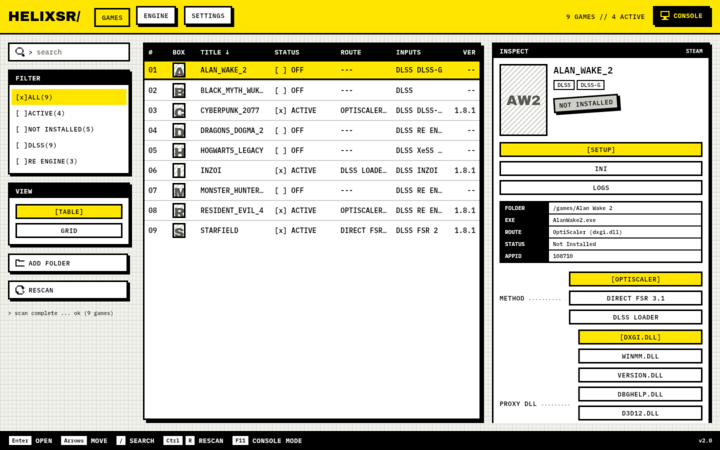
Games with DLSS, XeSS or FSR in their settings no longer need OptiScaler from elsewhere (like Decky Framegen) first. With a HelixSR 3.x release, such a game gets a HelixSR Scaler section: HelixSR’s own OptiScaler, installed with one button by HelixSR’s own installer (the same one HelixSR Desktop uses).
- HLX DLSS now works on the Steam Deck. Select DLSS in the game and HelixSR’s own DLSS network does the upscaling. Tested on a Steam Deck OLED with System Shock (2023).
- Scaler’s in-game menu (Insert key) switches between HLX DLSS, HLX FSR 4 Lite, HLX FSR 4 Full and AMD’s FSR. The status shows ✓ Working for whichever one ran.
- Before the first install: Scaler needs the release’s DLSS network. If HelixSR Installation shows Build HelixSR … DLSS network (for HelixSR Scaler), run it once (about 7–10 minutes, downloads NVIDIA’s DLSS file).
- Remove HelixSR Scaler puts the game’s own files back. If a game needs a Steam launch option for Scaler, the panel adds it for you and takes it out again on removal.
- Games installed with HelixSR Desktop’s Scaler can now be updated and removed here too.
- HelixSR’s own frame generation isn’t included.
Clearer game page
Each game now shows the one way that fits it: the way HelixSR is installed with, else the game’s OptiScaler, else HelixSR Scaler, else in place of the game’s FSR 3.1. The others are under Other ways, with one line each on when you’d use them.
Quelle: GitHub