
Der Amethyst Mod Manager wurde in der Version 2.4.0 veröffentlicht.
Der Amethyst Mod Manager ist ein Linux-nativer Mod-Manager im Stil von Mod Organizer 2, der über 80 Spiele unterstützt - darunter Baldur’s Gate 3, Cyberpunk 2077, Skyrim, die Fallout-Reihe und Starfield.
Highlight der neuen Version ist eine komplett überarbeitete Konflikterkennung: Das Hinzufügen, Verschieben sowie Aktivieren und Deaktivieren von Mods in großen Modlisten reagiert nun deutlich schneller, ebenso der Programmstart. Neu unterstützt wird Fallout New California (GOG), dazu kommen ein Skyrim-Downgrade-Wizard, OpenMW-AppImage-Support und die Wiedergabe von Audio- und Videodateien direkt aus den Mod-Dateien.
Performance Improvements:
- Fully reworked how conflicts are detected. Adding new mods, moving mods, enabling and disabling mods in a large modlist will feel much more responsive.
- Improved application load and startup times
Game Support:
- Added Fallout New California (Gog)
Additions:
- Added a right click option to plugins with loot messages that contain links to open them
- Added a Skyrim downgrade wizard for running the Mulderload downgrader
- Added a right click option to Fomod mods to display the options that you made for that mod
- Added support for the OpenMW appimage
- Added a Wizard tool for Acmos Road generator (Skyrim SE in the Dyndolod category)
- Added a logs dropdown to the text files tab.
Changes:
- The top bar can now be moved to the right or left of the application in the UI settings
- The Amethyst theme is now the default theme for new installs
- Audio and video files can now be played from the mod files tab and Data tab
- Wabbajack lists no longer show in the collection browser
- OpenMW plugins can now be flagged as groundcover plugins
Bug Fixes:
- Fixed repeated and unnecessary Nexus oauth token requests from the keyring during startup and during mod install
- Fixed Enderal using Fallout’s top level folder set causing some mods to install incorrectly
- Fixed game launch options not applying correctly
- Fixed an issue where applications run via the wizard could be left running in the background forever
- Fixed separator strike lines not being visible with some themes
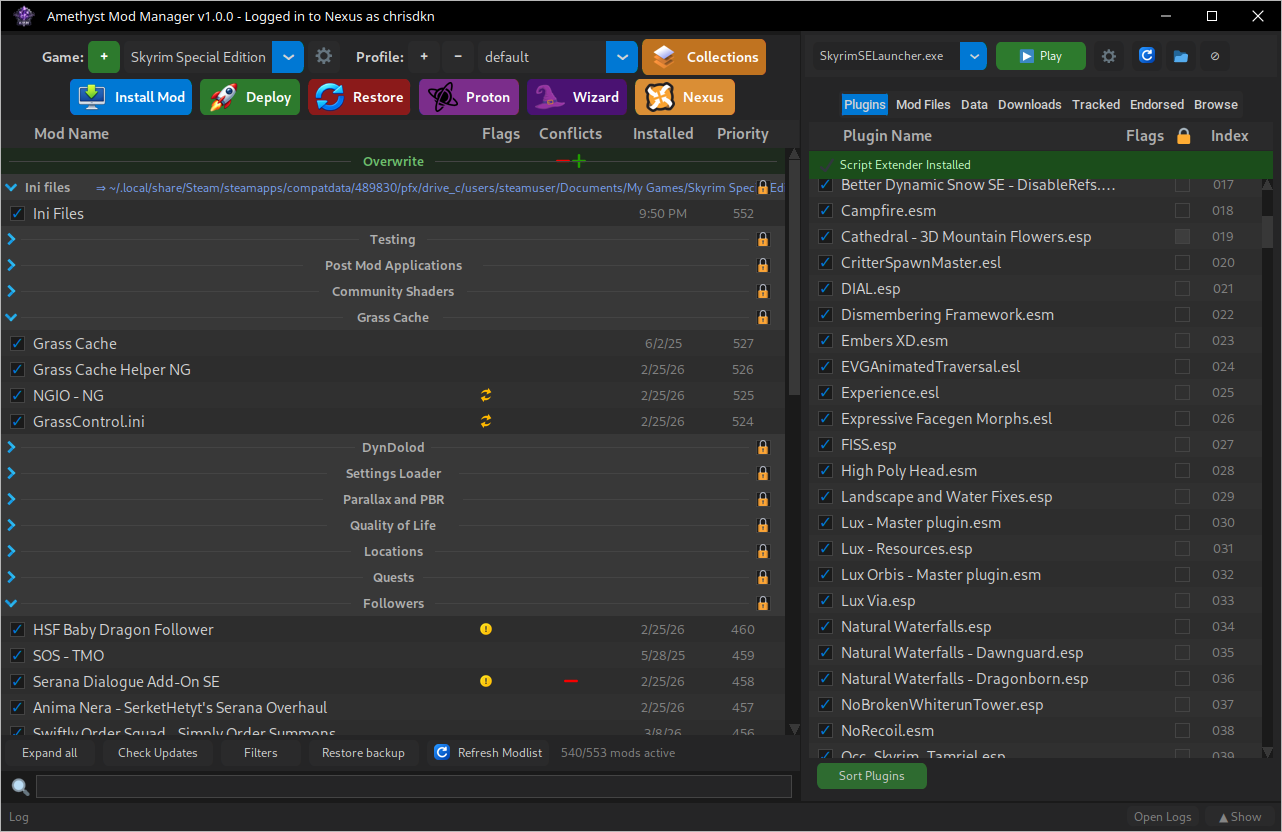
Quelle: GitHub