
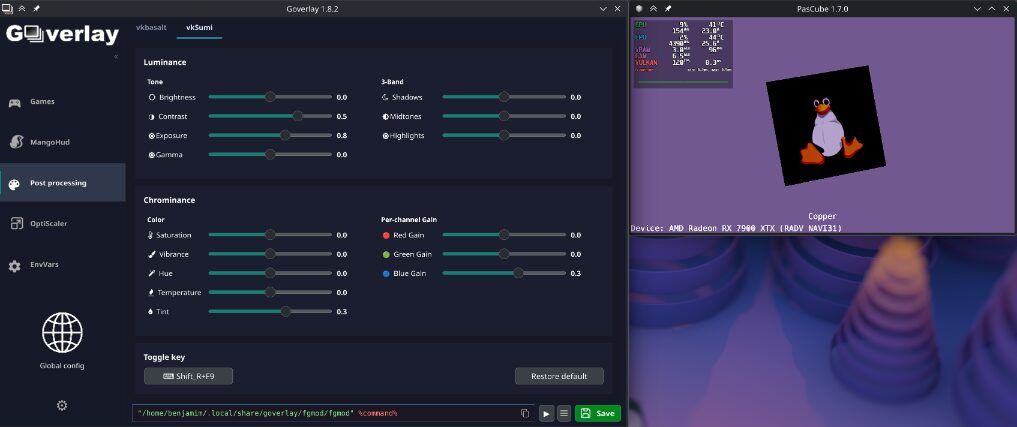
GOverlay, ein grafisches Werkzeug zur Verwaltung von Linux-Gaming-Overlays, wurde in der Version 1.8.8 veröffentlicht - kurz nach Version 1.8.7.
Version 1.8.8 behebt vor allem Startup-Deadlocks und vereinheitlicht das OptiScaler-UI-Layout.
Änderungen in Version 1.8.8:
- Startup-Deadlocks beim Cover-Fallback und Changelog-Abruf behoben (Changelog-Abruf läuft nun in einem eigenen Hintergrund-Thread).
- OptiScaler-FSR-Layout für Stable- und Bleeding-Edge-Kanal vereinheitlicht: Die “Force FSR4-i8”-Checkbox wird nun konsistent auf allen Kanälen angezeigt.
- FSR-Stable-Fallback-Version auf 4.1.1 aktualisiert.
- AppStream-Release-Metadaten für 1.8.7 und 1.8.8 ergänzt.
- Pfadauflösung für
bgmod/bgmod-uninstaller-Binaries robuster gemacht (funktioniert nun zuverlässig in Dev-, natives-Paket- und AppImage-Umgebungen).
Änderungen in Version 1.8.7:
🚀 New Features
- OptiScaler Enhancements:
- Added Preferred Upscaler option support to select a preferred upscaler profile.
- Added Force FSR4-i8 option to force the INT8 model on unsupported GPUs (available under the Bleeding-edge channel).
- Implemented dynamic layout adjustments under the Bleeding-edge channel: hides the redundant FSR version dropdown (locking it to “Latest”) and aligns the “Force FSR4-i8” checkbox in its place.
- Preserved the Emulate FP8 checkbox on the Bleeding-edge channel, updating its tooltip dynamically to explain its role in activating FSR MLFG on RDNA3 GPUs.
- Enabled automatic synchronization of
OptiScaler.iniandfakenvapi.inion game launch.- Low Latency & pascube benchmark information:
- Integrated vulkan-low-latency-layer dependency status and UI management on the Home tab (renamed to Korthos low latency).
- Added CPU/GPU max power and temperature along with version tracking for PasCube.
- System Integration:
- Added a “Create Steam shortcut” option in the settings menu, making it easy to launch GOverlay inside Steam’s Gaming Mode (useful for handhelds like Steam Deck).
- Added persistent Intel CPU power monitoring fixes, triggering proactively and restricting execution strictly to Intel hardware to avoid side-effects.
- Implemented detection for non-Steam AppImage games and improved cover art port mapping.
🔧 Fixes & Stability
- Appimage: Several problems in the old appimage builds are now fixed.
- MangoHud: Fixed an issue where MangoHud UI controls were not reset before loading configs, causing leaked/dirty values. Ensured MangoHud configuration loads unconditionally when clicking the MangoHud label tab.
- OptiScaler Fixes: Prevented configuration resets on parser failure and added fallback handling for missing global
OptiScaler.inifiles.- Compatibility & Platform: Fixed Flatpak configuration paths to properly respect
XDG_CONFIG_HOME. Whitelisted safe ASCII characters during game name sanitization to prevent naming conflicts. Ignored crash and bug report folders in Unreal Engine directories during game path discovery. Corrected the desktop file launcher by fixing theStartupWMClassdefinition.🎨 UI & Polish
- Added clean visual separator lines to group items in the sidebar settings menu (gear icon).
- Relocated the Wine Prefix button directly into the sidebar settings menu for quicker access.
- Enabled sidebar navigation toggles in global configuration mode.
🌐 Translations & Maintenance
- Translated remaining legacy Portuguese text strings to English.
- Merged Latvian text corrections.
Quelle: GitHub