
Unifideck, a Decky Loader plugin for the Steam Deck, has been released in version v0.8.0.
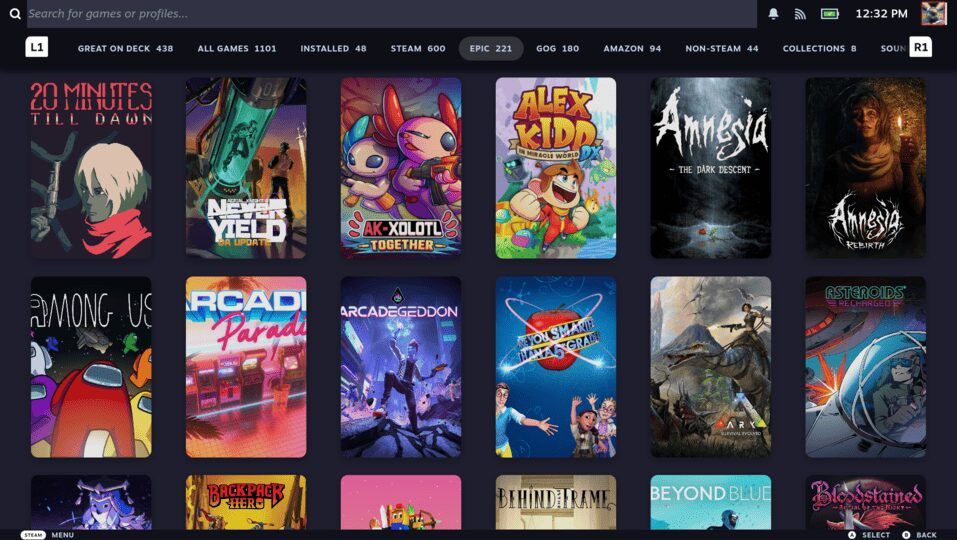
The tool consolidates game libraries from Steam, Epic Games, GOG, Ubisoft, Amazon, Xbox Cloud Gaming and Battle.net into a single interface.
The headline addition is experimental support for Xbox PC games, including achievements, offline play and cloud saves. Game pages now use Steam’s own layout, and the release adds achievement popups for Epic, GOG and Xbox, cloud saves for native GOG Linux games and a built-in player for Xbox Cloud Gaming instead of Edge.
New Features
- Added Xbox PC games (experimental). Install and play the PC games you own on Xbox or through PC Game Pass, with achievements, offline play and cloud saves. You can turn it on and sign in from Unifideck’s settings.
- UI Update: Game pages now use Steam’s own layout and UI, including the download bar, cloud play and achievements.
- Added Steam-style achievement popups for Epic, GOG and Xbox games. GOG achievements are tracked faster with Comet v0.4.1 bump.
- Added a version picker for Battle.net games with more than one edition installed on the same shortcut.
- Changed Xbox Cloud Gaming to play streams in Unifideck’s own player instead of via Edge. The Microsoft Edge Flatpak is now replaced by a built-in browser.
- Added Xbox Cloud Gaming for accounts without Game Pass. Free-to-play streams such as Fortnite now sync.
- Added cloud saves for native Linux GOG games.
- Added a prompt to claim an itch.io bundle game before installing it, with a button that opens the claim page.
- Added Steam review scores and tags to game pages.
- Improved download time estimates so they no longer jump around as often with unstable speeds.
Major Issues Fixed
- Sync no longer replaces the names of games you renamed in Steam
- TabMaster tabs built from Unifideck collections no longer break after a sync
- Sync progress bar no longer freezes just before the end of a sync
- Missing descriptions and publishers on some game pages fixed
- Every game crashing when GE-Proton’s files were damaged after install fixed - Unifideck now checks and repairs them automatically
- Large itch.io libraries timing out during sync fixed
- Native Linux GOG games always showing an update, and updates installing the Windows version, fixed
- GameVault downloads failing with “That compression method is not supported” fixed
- GameVault games with a native Linux build installing without anything to launch fixed
- Steam Store banner no longer says you own every Battle.net game, such as Overwatch 2
- Store switcher and “Group duplicates” showing outdated stores or wrong tiles fixed
- itch.io installs failing when your Games folder is a link to an SD card fixed
- Improved DirectX 12 games by keeping their shader cache between launches
- Improved security: Xbox sign-in now verifies Microsoft’s certificates, and itch.io browser games run in their own browser profile
Notes
- If you are already logged in to Microsoft, you might be logged out once you enable experimental Xbox PC. Also, you will need to login twice in the same window.
- Warcraft III: Reforged now needs GE-Proton11-7 or newer to sign in.
- Paid itch.io browser games ask you to sign in to itch.io once more, inside the game window.
Source: GitHub