
Understeer has been released in versions 2.3.0 through 2.3.3 - shortly after version 2.2.0.
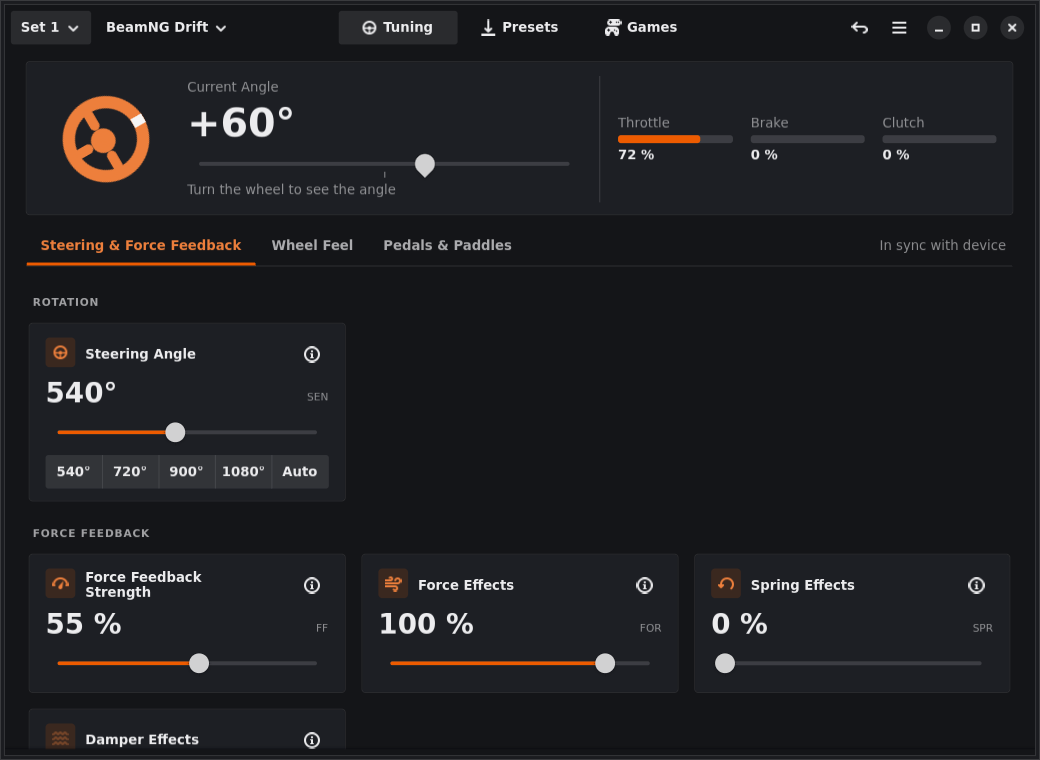
The open-source tool offers a graphical interface to configure Fanatec wheelbases on Linux via the hid-fanatecff driver and to save settings as presets.
The biggest addition is the Diagnostics view with Axes, Buttons and LEDs tabs, including a health check for steering and pedals. Versions 2.3.1 to 2.3.3 mainly bring layout improvements.
Changes in version 2.3.0:
- New Diagnostics view beside Tuning, Presets and Games, with Axes, Buttons and LEDs tabs. The main menu was also reorganized
- Axes: raw and normalized value of each wheel and pedal axis, the range reported by the device, the range seen since the last reset, and flat, fuzz and resolution settings
- Health check: for steering and pedals with an assigned role, a tile turns green once the axis was moved through its full range, and orange for possible faults, e.g. a pedal that doesn’t reach full travel, doesn’t return to 0%, jitters at rest, or a wheel that moves when released. Problem reports can include the results (can be turned off)
- Buttons: each button is a numbered cell that lights while held and turns green once pressed, showing its name, code and the number games see via SDL
- LEDs: switch rev and flag LEDs individually, show RGB LED colors, and run a stoppable test. LEDs return to their previous state when you leave the tab
- Preferences → Wheelbase shows device name, USB vendor and product ID and kernel driver, with a copy button for GitHub issues. Problem reports include these details and identify the hid-fanatecff build, including git-built drivers
- Pedal axes can be hidden with an eye button and keep their role while hidden
- Fixed: clicking anywhere on a row with a switch no longer toggles the setting, only the switch does
Changes in version 2.3.1:
- Fixed: Presets pages and settings groups use the same columns, so a long name no longer widens the tiles of its row
- Fixed: with few presets in a large or maximized window, they now sit directly below the tiles that create new ones instead of floating in the middle
- Fixed: Add Game, Save as Preset and New Folder buttons no longer exceed the width of neighboring tiles, so more games fit in a row
- Fixed: in narrow windows, header bar views show their icon above the name instead of cutting it off, and preset names wrap between words
Changes in version 2.3.2:
- On Full HD or 4K screens, the Presets page shows up to seven tiles per row, and settings use wider tiles with longer sliders instead of leaving empty space at the sides
- Game tiles are narrower: in a window about 1040 px wide, “Add Game…” and four games fit in one row
Changes in version 2.3.3:
- Diagnostics → Axes: four axis tiles fit into one row in a window about 1040 px wide, so steering and three pedals sit side by side
- Fixed: in German, the health check hint named the role to leave an axis out differently from the Pedals & Paddles tab
Source: GitHub