
OpenXLR has been released in version 0.9.3.
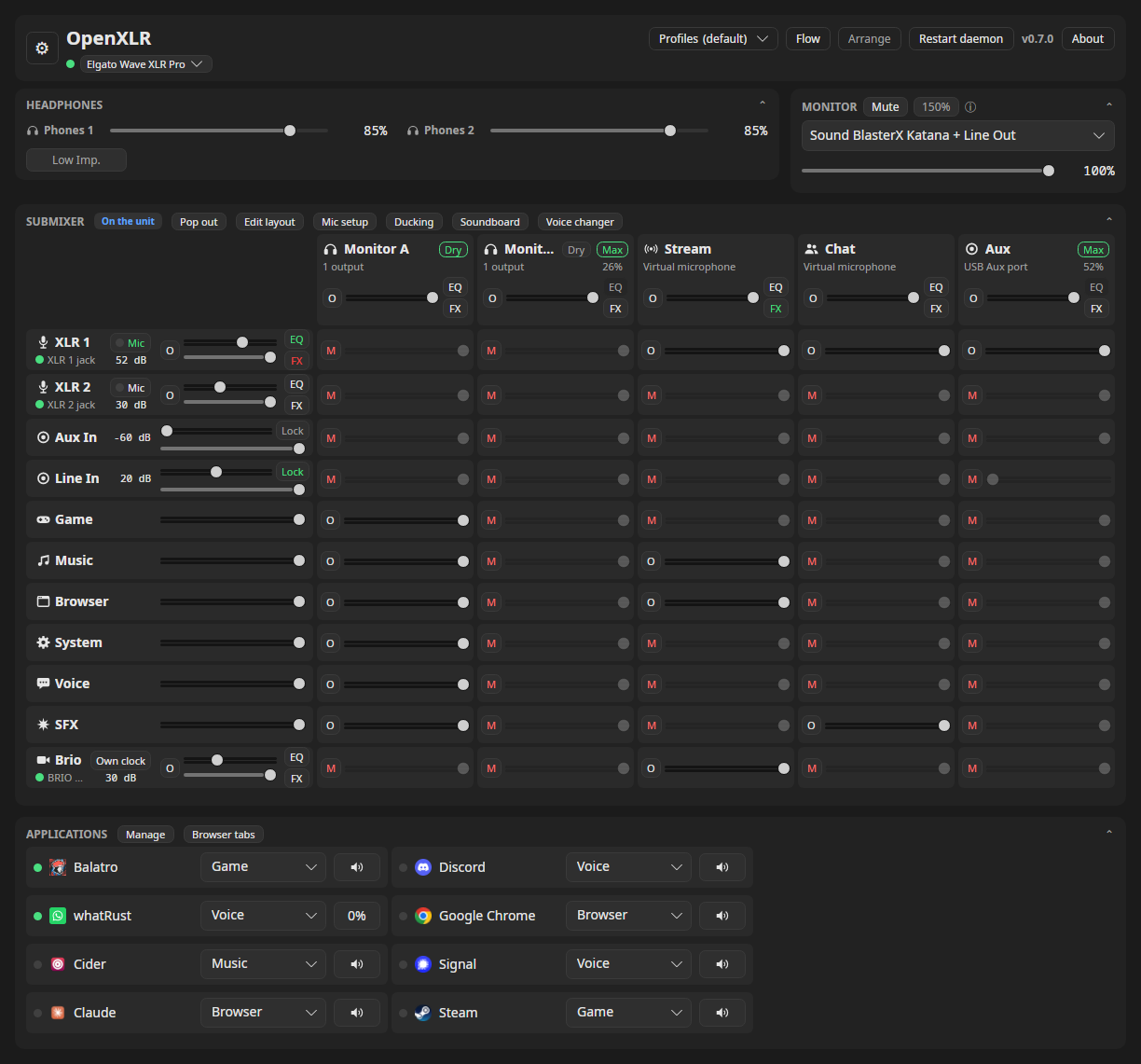
The open-source tool is a Linux replacement for Elgato’s Wave Link, offering a PipeWire-based mixer with effects and an OpenDeck plugin. This update follows the 0.9.2 hardening release from November 18.
New is that skins are reloaded live whenever their files change. Theme tools such as noctalia, matugen or pywal can keep OpenXLR’s colors in step with the desktop, with no Reload or hook. Also, the Debian recipe of the Windows bridge builds on Launchpad again.
OpenXLR 0.9.3 follows a skin as it changes on disk, so a theme tool can keep OpenXLR in step with your desktop. This was asked for in #891.
UI and terminal mixer
- The chosen skin is read again when its files change. The UI and the terminal mixer watch the folder of the skin you are wearing and put it on again a moment after a file in it changes. A theme tool such as noctalia, matugen or pywal that writes
~/.local/share/openxlr/skins/<name>/skin.jsonfrom your desktop’s colours now changes OpenXLR’s colours along with it, with no Reload to press and no hook to call. An edit in place counts, and so does a file renamed overskin.json, an image beside it, or the whole folder replaced. Follow a theme tool shows the setup.- A chosen skin whose folder was missing comes back as soon as the folder does, through the watch or through Reload. Until then the UI wears Material, as before, and
ui.jsonkeeps your choice.- An open Options window lists the skins again after one of these reloads, with anything wrong with the skin in force.
Project
- The Windows bridge companion’s Debian recipe builds on Launchpad again. Its directory check now skips the parents of the package’s own directories, since Launchpad builds under a directory that belongs to the builder’s account. The companion on this release is still 5.1.1.54 revision 4.
Install
Packages exist for Arch Linux, CachyOS and Omarchy (AUR), Ubuntu (PPA), Fedora (COPR) and NixOS (flake); this release also carries a
.deband an.rpmfor a manual install. Each of those, the deck plugin zip and the browser companion has a checksum file and a build provenance attestation; docs/releases.md shows how to check them.Replug the interface once after installing so the udev rule applies. The Stream Deck plugin is the zip on this release, for OpenDeck’s install-from-file, and the browser companion is the
openxlr-browsertar.gz.
Source: GitHub