
Gripspeak, a voice dictation tool for the Steam Frame, is now available on Steam.
With Gripspeak you hold both controller grips, speak and let go - the text is typed straight into the active text box. The tool costs €8.23 (regularly €9.69, 15% launch discount).
Typing on the Frame is slow. Talking isn’t.
Pecking out one sentence with the laser keyboard takes about half a minute. With Gripspeak, you hold both grips, say it, and let go. A short phrase lands within about a second.
How it works
Hold both grips wherever you’re typing: Steam chat, the store search, the browser, the terminal, a desktop app.
Talk the way you’d talk to a friend. Ums and uhs get left out.
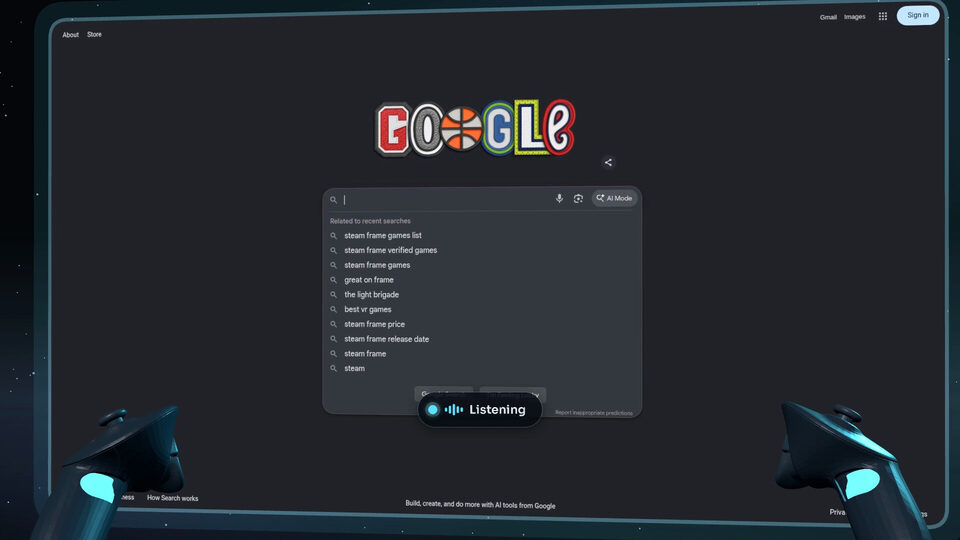
Let go. It types into the text box you’re in.
Made for the Frame’s controllers
Double-tap both grips for hands-free: put the controllers down and talk for up to 10 minutes.
Double-tap the left grip to copy, the right grip to paste.
Flick the right stick to send (Enter), the left stick for Escape.
Hotkeys for the keys the Steam keyboard doesn’t have: Ctrl, Alt, Super, the F-keys, Home and End. Put Ctrl+Z, Ctrl+T or F11 on a controller gesture, or a phrase you type often.
In games, your buttons stay yours: Gripspeak rests while a game is in front unless you turn it on.
Your voice stays on your headset
Speech is turned into text by an AI speech recognition model running on the Frame itself. Audio is never saved or sent anywhere, and dictation works offline.
It learns your words
Fix a misheard name once and Gripspeak remembers it. Add friends’ names, game titles and jargon to your own dictionary. Email addresses you say come out as addresses.
Good to know
Steam Frame only. It doesn’t run on PC VR headsets or Quest. English only for now.
Source: Steam