
JoystickGobloon wurde in der Version 1.0.0 veröffentlicht - dem ersten stabilen Release.
Das Open-Source-Tool für Linux und Windows vereint das Verstecken von Geräten, das Erstellen virtueller Joysticks und Gamepads und das Remapping von Eingaben. Die letzte Version 0.15.3 war noch in der Alpha-Phase.
Neu sind unter anderem Game Bindings (Bindings direkt in die Einstellungsdateien eines Spiels schreiben), Unterstützung für Stream Deck und Touch-Panels per OSC, ein Game-Overlay, bessere Sprachsteuerung, Achsenzonen und zusätzliche Response Curves. Außerdem sinken Speicher- und CPU-Verbrauch deutlich.
Joystick Gobloon 1.0
Joystick Gobloon 1.0 is the first stable release. One app now does the work of three: it hides your physical controllers from games, sets up virtual joysticks and gamepads, and maps every axis, button and hat to them. It runs on Windows 10 and 11 and on Linux, talks to the drivers directly and opens your Joystick Gremlin profiles.
New since 0.15
- Game bindings. The new Game bindings page reads a game’s joystick, keyboard and mouse bindings and writes your profile’s bindings straight into the game’s own settings files. A backup is made before every write. You can bind an action by pressing the control you want, and see the whole path from your stick to the game’s action, lit live while the profile runs.
- Stream Deck and touch panels. Keys and faders sent over OSC work like joystick buttons and axes, and a profile can send the current mode back to the panel. Stream Deck works through Bitfocus Companion.
- Game overlay. The current mode and layer, the action you just ran, latency, voice status and CPU and memory use can be shown on top of the game. Ctrl+Alt+F shows or hides it. Its position, colors, font size and opacity are up to you.
- Better voice control. Voice commands can be put into groups. You can pick the speech recognizer in Settings > Voice: Vosk (the default) or sherpa-onnx. Text to speech can use your system’s voice or a natural-sounding Piper voice.
- Axis zones. A new action splits an axis into up to eight zones. Each zone can give the full travel, pass the axis as it is, or hold a fixed value.
- Response curves. You can save your own curve presets, and there are more ready-made ones: light soft center, S-curve, flat center, half range and inverted.
- CPU and memory use are shown in the status bar.
- Lighter and faster. Joystick Gobloon now uses about a quarter less memory and only a fraction of the CPU it used before while it sits in the background. Inputs reach the virtual devices faster.
- Smoother. Starting a profile, switching profiles when another game comes to the front, and changing which devices are hidden never make the window pause.
- Safer. Profiles and settings are saved so that a crash or power cut during a save can no longer leave a damaged file. A damaged or hand-edited profile can no longer crash the program. Lua scripts and game export plugins cannot read other files on your computer. System Gobloon on Linux accepts only the signed-in user.
Fixed since 0.15.3
- Looking for newly connected controllers no longer interrupts input reading every two seconds.
- The input viewer shows button presses for as long as they really last.
- Copies of named actions, whether pasted or unlinked, get a number, so every name stays unique.
- Games can tell your virtual joysticks apart.
- Voice command groups nested in a loop, or more than 16 levels deep, are saved correctly.
- A profile set to start with the program is no longer stopped right away by switching by program.
- Closing the program runs the profile’s stop actions and lets go of the virtual devices.
- Writing bindings into a game also works while the game is running.
Everything in 1.0
- Profiles: opens Joystick Gremlin profiles (R14 and newer). Modes, modifiers and layers, undo and redo.
- 29 actions for outputs, axes, timing, conditions, mode changes, sounds, text to speech, voice input, running programs and OSC messages.
- Profile per program: the profile and mode switch by themselves when a game comes to the front.
- Virtual devices: vJoy joysticks on Windows; joysticks and Xbox-style gamepads on Linux.
- Device hiding: one click hides a controller from games. On Windows this uses HidHide, on Linux System Gobloon.
- Voice commands, recognized offline on your computer.
- Lua scripts for your own logic, sandboxed so they are safe to share.
- Input viewer and calibration: a jitter filter for worn axes and debounce for bouncing buttons.
- The app itself: tray icon, light and dark theme, seven languages, and updates that install themselves.
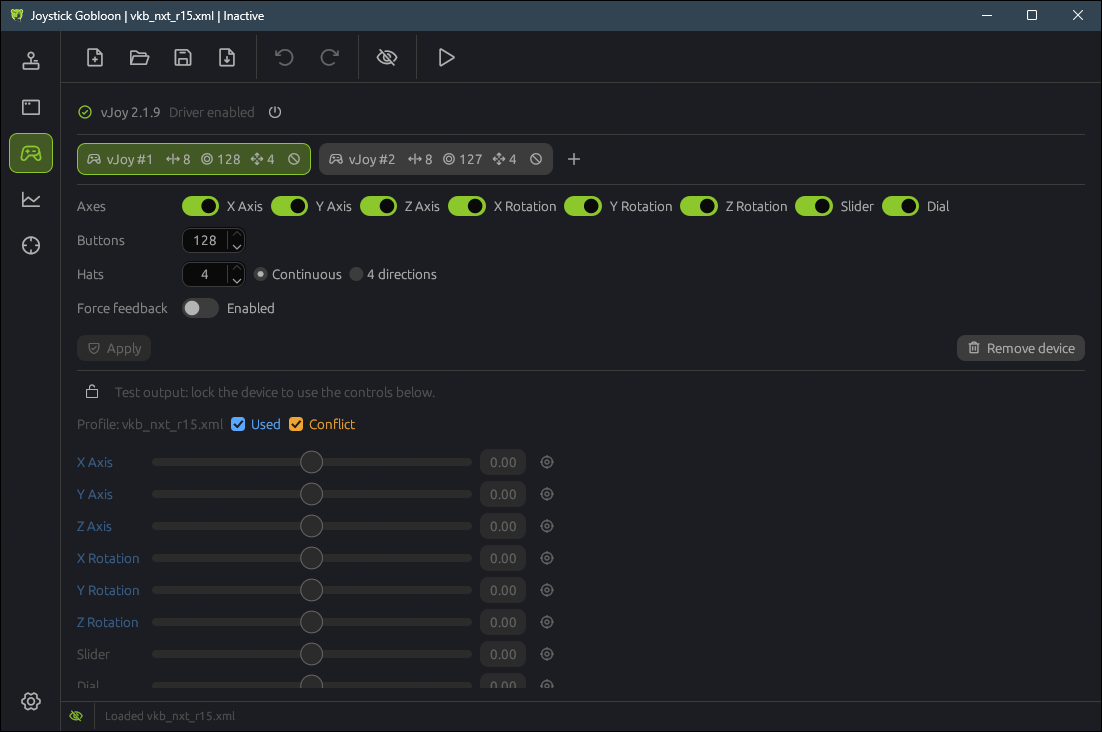
Quelle: GitHub