
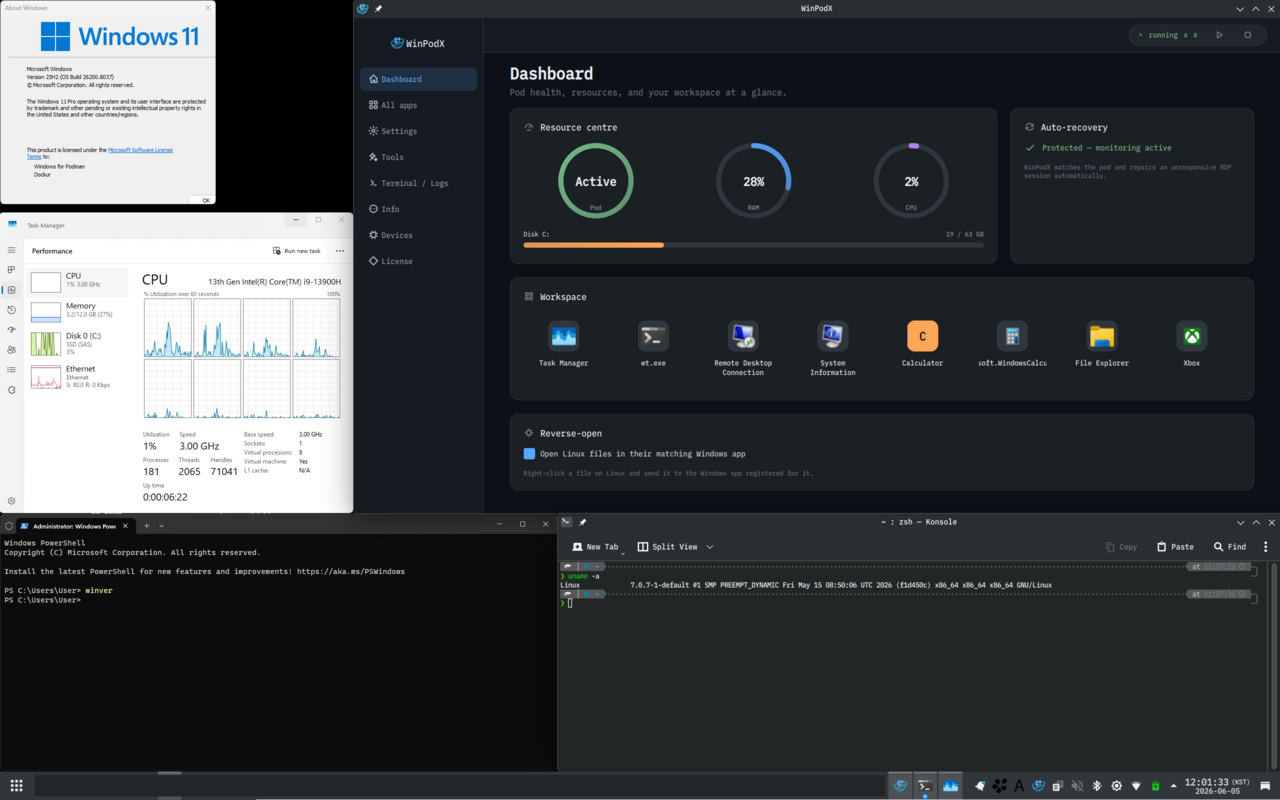
WinPodX, ein Werkzeug zum Ausführen von Windows-Anwendungen als native Linux-Fenster, wurde in Version v0.10.4 veröffentlicht.
WinPodX startet im Hintergrund einen Windows-Container (über dockur/windows) per KVM und blendet einzelne Windows-Programme über FreeRDP RemoteApp als eigenständige Linux-Fenster ein - mit echten Icons, Taskbar-Pinning und Datei-Verknüpfungen, ohne dass ein kompletter Windows-Desktop sichtbar wird.
Neu in dieser Version sind unter anderem das gezielte Verzeichnis-Sharing über die Einstellung pod.home_share (statt des gesamten Home-Verzeichnisses), ein “Windows Desktop”-Eintrag im Anwendungsmenü, RDP-Einstellungen pro App sowie erweiterte Debloat- und Privacy-Presets.
[0.10.4] - 2026-07-27
Added
- Documented how to update winpodx (#734). The homepage get-started page, README, and
docs/INSTALL.mdnow spell out the update path per install method: re-running the curl one-liner upgrades an existing install in place, package installs update via the system package manager, AppImage users replace the file with the newer release asset.- You can now expose only a chosen directory to the Windows guest instead of your whole home (#758). The new
pod.home_sharesetting lets you point the\\tsclient\homeshare at a single directory -winpodx config set pod.home_share ~/WinShare- so files outside it are no longer reachable from the guest. The default is unchanged (empty = the full home directory).- A “Windows Desktop” launcher entry now appears alongside your Windows apps (#769). It opens the full Windows desktop (the equivalent of
winpodx app run desktop), is installed bywinpodx setupandwinpodx app refresh, and is re-created bywinpodx doctor --fixif it goes missing.- Individual Windows apps can now carry their own RDP settings that override the global ones (#692). You can add an
[rdp]table to an app’sapp.tomland setscale,extra_flags, ormultimonfor that app alone; per-app values are merged over the globalcfg.rdp.- The telemetry / ads / widgets debloat presets cover more privacy surface (#696). Additional opt-outs for activity history / timeline upload, handwriting and inking data collection, online speech recognition, typing-insights collection, cloud-search history and the Windows-10 taskbar Feeds keys, each with a matching restore in its undo sibling.
Fixed
- The
winpodx provisionpath (what a freshinstall.shactually runs) now also defaults to 5 discovery retries. All provisioning entrypoints (setup / provision / migrate / resume) are now consistent at 5.- A
--mainupgrade or a purge + reinstall no longer silently keeps old code. The installer now builds winpodx with--no-cache-dir, forcing a fresh build from the cloned source every time.- Discovery retries up to 5 times on a slow first boot instead of 2. Each retry lands on a progressively idler guest, turning a first-boot timeout into a populated menu.
- The winpodx.org homepage now actually shows its non-English translations. Added
scripts/gen_web_i18n.pyand regenerated the translation bundle.winpodx setup --storage-path/--win-isowere silently ignored when a leftover podman volume from an earlier attempt still existed (#767). Setup now surfaces a prominent, framed warning that names the requested path and how to relocate or start fresh, and re-prints it right before the final banner.
Quelle: GitHub