
Unifideck, ein Decky-Loader-Plugin für das Steam Deck, wurde in der Version v0.7.5 veröffentlicht.
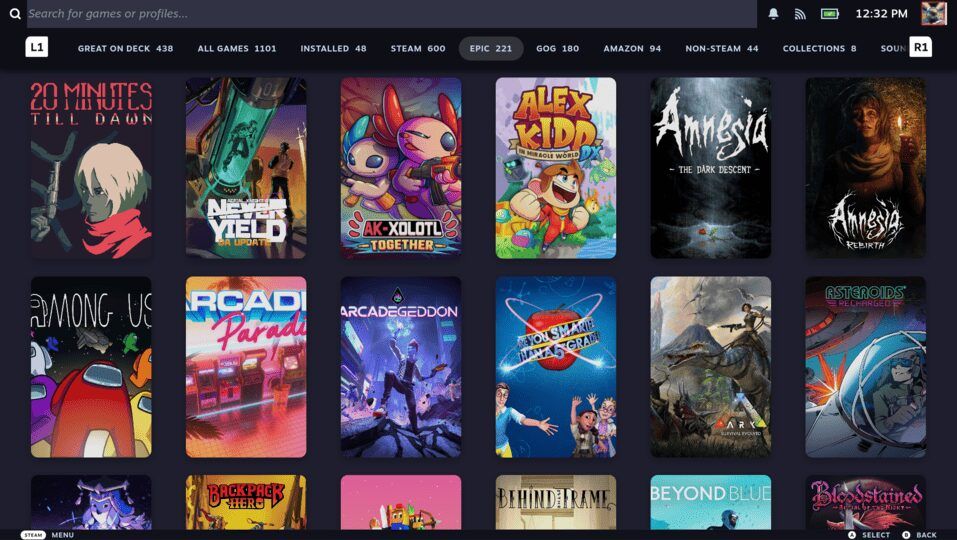
Das Tool führt Spielebibliotheken von Steam, Epic Games, GOG, Ubisoft, Amazon, Xbox Cloud Gaming und Battle.net in einer einzigen Oberfläche zusammen und kümmert sich um Cloud-Saves, Proton-Kompatibilität und Installation.
Neu in diesem Release ist die Anbindung von GameVault zum Installieren und Ausführen DRM-freier Spiele - entweder von einem eigenen GameVault-Server oder aus einem lokalen Ordner. Zudem kann Unifideck jetzt außerhalb installierte GE-Proton-Versionen (etwa via ProtonPlus) mitnutzen, und über ein Warenkorb-Symbol lassen sich die angemeldeten Stores direkt aus der Plugin-Oberfläche öffnen. Dazu kommen 18 behobene Fehler.
New Features
- Added GameVault, so you can browse and install from your own GameVault server or from local folder of game files
- Added support for GE-Proton installed outside Unifideck, such as through ProtonPlus. Unifideck can now use existing protons instead of downloading them again
- Added a way to open logged in stores from the plugin UI via the Cart icon
- Improved the plugin updater. UI is more compact now and update options open in a new popup
- Added a visible badge when Unifideck has stopped retrying a game that keeps failing to launch, with a button to reset it and try again
- Added better support for Steam Machine and its own tab and compatibility classifications
Major Issues Fixed
- Fixed games launching behind Steam’s loading screen instead of coming to the front
- Fixed games starting without keyboard or controller focus in Gaming Mode
- Fixed being signed out of your stores after switching Proton version
- Fixed a Ubisoft game launching the wrong title when two games shared an ID
- Fixed Ubisoft sign-in being lost when you played a different Ubisoft game
- Fixed Ubisoft installs reporting themselves finished before the download was done
- Fixed wrong artwork appearing on sequels and other same-series titles
- Fixed Battle.net sign-in failing in certain scenarios
- Fixed GOG game setup inheriting CheatDeck settings and hanging
- Fixed a finished install being marked cancelled, so the game never appeared in your library
- Fixed the Play button still offering Install for a game that had just finished installing
- Fixed a download row that could not be cancelled and never cleared
- Fixed cancelling a download leaving work running in the background
- Fixed an interrupted GE-Proton download leaving a broken copy behind
- Fixed selected Proton version not taking effect in some cases
- Fixed manually added non-Steam shortcuts being removed by a library sync
- Fixed launch options support
- Improved sync so it skips work it already did and repairs metadata left behind by an interrupted run
Quelle: GitHub