
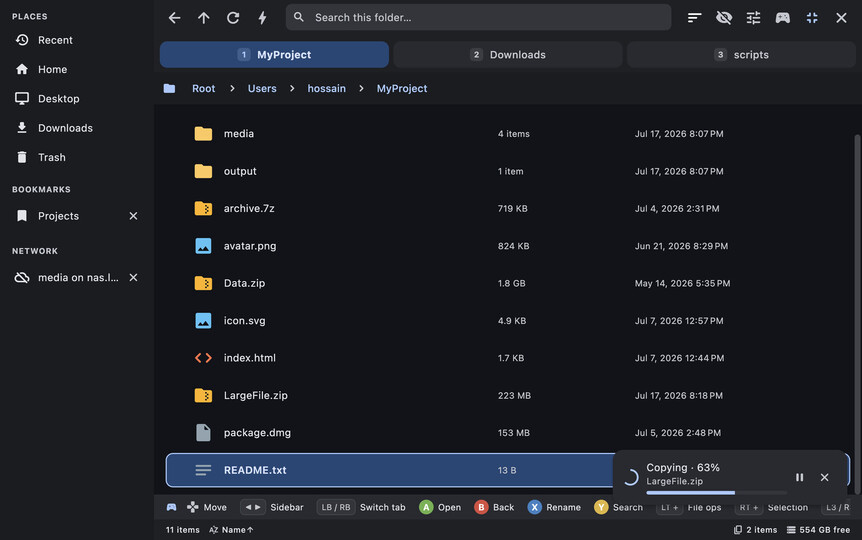
DeckCrate, ein vollständig per Controller bedienbarer Dateimanager für Handhelds, wurde auf Steam in Version 0.1.6 veröffentlicht.
Das Tool ist speziell für Steam Deck und andere Handhelds ausgelegt und lässt sich komplett mit Gamepad oder klassisch per Maus/Tastatur bedienen.
Kernneuerung ist das Bearbeiten von Textdateien direkt in der Vorschau: Der Stift im Vorschau-Header (oder X am Controller) macht aus der Textvorschau ein Eingabefeld, gespeichert wird mit Strg/Cmd+S bzw. A am Controller. Auch SVG, HTML und Markdown lassen sich über ihre Quelltextansicht bearbeiten. Kodierung (“ANSI”/UTF-8) und Zeilenenden bleiben beim Speichern erhalten, geschrieben wird direkt an Ort und Stelle, sodass Symlinks, Rechte und erweiterte Attribute unangetastet bleiben.
Added
- Editing text files in the preview pane. The pencil in the preview header (or X on a controller) turns a text preview into an editable field; Ctrl/Cmd+S - or A on a controller, once there is something to save - writes it back. A dot beside the filename marks unsaved changes, and on the Steam Deck the on-screen keyboard comes up over the field.
- A file is written back the way it was found. DeckCrate remembers whether it decoded the file as UTF-8 or as legacy Latin-1 (“ANSI”) and saves it in the same encoding, so editing an old text file no longer risks mangling every accented character. Line endings are preserved too: a CRLF file keeps CRLF.
- The file keeps its identity. The save is written in place rather than through a temporary file, so symlinks stay symlinks and permissions, ownership and extended attributes survive an edit.
- Unsaved changes are never dropped silently. Closing the pane, opening another file, letting the terminal take the slot, reducing the tab count and quitting all ask first, offering Save, Discard or Cancel. Each tab keeps its own buffer.
- Editing SVG, HTML and Markdown too - through their source view. Press X (or the header’s
</>) to see a markup file’s raw source, then X again to edit it. Saving a.mdwrites the Markdown back, never the HTML it was converted into, and the rendered view refreshes.- A “Rendered previews” preference (Preferences -> Preview, on by default). Turn it off and SVG, HTML and Markdown open on their editable source instead of rendered.
Changed
- B backs out of the preview one level at a time instead of always closing: editing -> source -> rendered -> closed. The header’s x still closes outright from any level, and text and PDF previews are unaffected.
Quelle: Steam