
Pillars of Eternity and Pillars of Eternity II: Deadfire now have controller support on Steam.
Both RPGs can now be played with a controller from character creation to the credits, in Real-Time with Pause and Turn-Based Mode. Xbox and PlayStation controllers are supported, as are the Steam Deck and Big Picture mode including the on-screen keyboard. You can switch between controller and mouse/keyboard at any time. The patches are 3.10.0 (Pillars of Eternity) and 5.1.0.0 (Deadfire).
Deadfire also gets a reworked Turn-Based Mode: characters act based on speed, combat is deadlier (+35% damage), and actions like swapping weapons or drinking potions are now free actions. The mode can be toggled at any time outside of combat. The patch also includes many bug fixes.
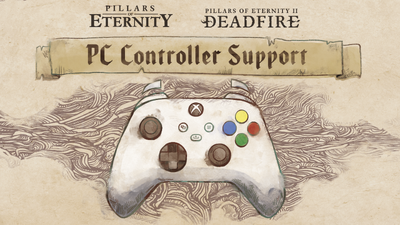
We’re excited to share that Controller Support is officially here on PC for both Pillars of Eternity and Pillars of Eternity II: Deadfire.
Whether you’re starting a fresh adventure in the Eastern Reach or setting sail across the Deadfire Archipelago, you can now play from character creation to the final credits with a controller, in both Real-Time with Pause and Turn-Based Mode. Pick up your mouse and keyboard at any time and the game follows along. Pillars of Eternity II: Deadfire is getting controller support in its own update at the same time, so you can take both adventures to the couch. Steam Deck players can join in too!
Deadfire fans have something extra to look forward to. Its Turn-Based Mode has been reworked with the lessons we learned bringing Turn-Based Mode to the original game: characters now act based on their speed, combat hits harder, and quick actions like swapping weapons or drinking a potion now count as free actions. And just like in Pillars of Eternity, you can now switch between Turn-Based Mode and Real-Time with Pause during your playthrough, whenever you’re out of combat.
A huge thank you to everyone who jumped into the Public Test. Your reports and suggestions have been invaluable as we prepared for today’s release.
Controller support is a significant addition to both games and there could be more issues that were not found during the beta period. We’ll keep supporting both games based on your feedback, so please reach out to us at support.obsidian.net and we sincerely thank you for being with us in the World of Eternity!
Pillars of Eternity - Patch 3.10.0:
Major Features
- Controller support has been added to Pillars of Eternity!
- The whole game can be played with a controller, including character creation, exploration, combat in Real-Time with Pause and Turn-Based Mode, conversations, the inventory, crafting and enchanting, the Stronghold, and the world map.
- Radial menus give quick access to abilities, spells, and party commands, and button prompts are shown throughout the interface.
- Switch between a controller and mouse and keyboard at any time; the interface and button prompts follow the input you’re using.
- Xbox and PlayStation controllers are supported, as are Steam Deck and Steam Big Picture mode, including the on-screen keyboard for naming characters and writing notes.
- Cloud save functionality has been added to the XBOX PC/Microsoft Store version of the game.
Known Issues
- Reordering party portraits or formation can cause controller navigation to behave unexpectedly.
Pillars of Eternity II: Deadfire - Patch 5.1.0.0 (excerpt):
Major Features
- Controller support has been added to Pillars of Eternity II: Deadfire!
- The whole game can be played with a controller, including character creation, exploration, combat in Real-Time with Pause and Turn-Based Mode, conversations, the inventory, the world map, and naval exploration and ship combat.
- Radial menus and action bars give quick access to abilities, spells, items, and party commands, and button prompts are shown throughout the interface.
- Xbox and PlayStation controllers are supported on Windows, macOS, and Linux, as are Steam Deck and Steam Big Picture mode, including the on-screen keyboard for naming characters and writing notes.
- Turn-Based Mode (TBM) has been reworked with the improvements made for Pillars of Eternity’s Turn-Based Mode!
- Turns are now influenced by character speed, combat pacing has been adjusted for increased lethality, and certain actions (such as swapping weapons, drinking potions, or enabling modals) are now classified as free actions with per-turn limits.
- Turn-Based Mode can now be turned on or off during a playthrough while outside of combat, from the game options, a new HUD button, or the T key.
Source: Steam (Pillars of Eternity) / Steam (Deadfire)