
PipeASIO, an ASIO bridge for PipeWire on Linux (primarily for Wine), has been released in version v1.8.1 - shortly after version 1.8.0.
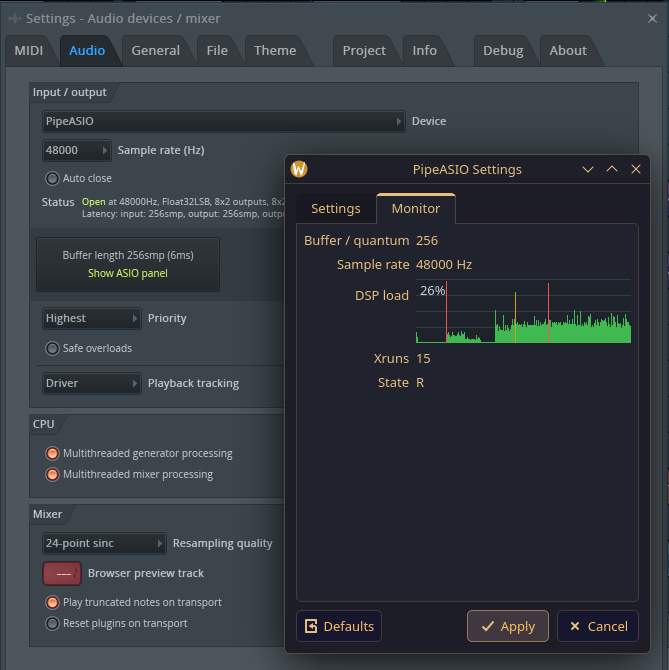
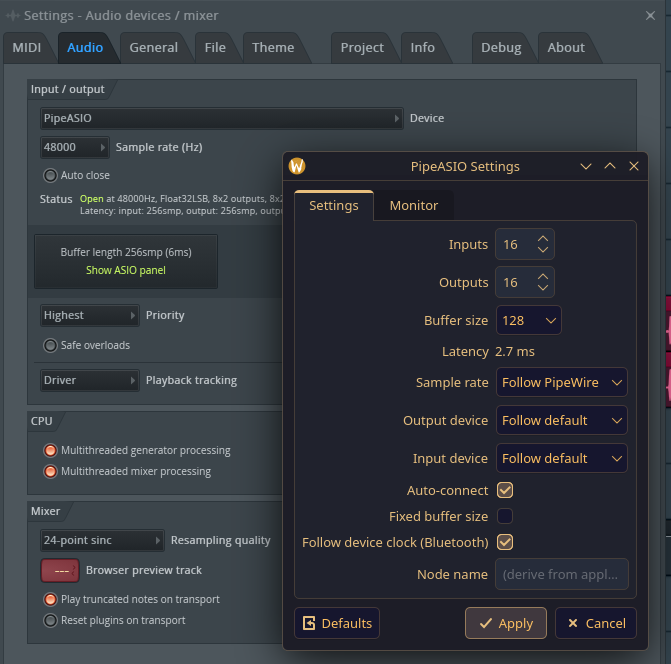
This update mainly reworks the PipeASIO Manager layout: the Installations tab now groups everything in one panel, settings are split into Audio, Devices and Advanced, and the DSP load graph in the Monitor tab has been redesigned.
Changed
- PipeASIO Manager layout: the Installations tab groups the selected prefix’s paths, status, release choice, and actions in one panel, marks each target’s status with a colored dot, and keeps the operation log folded until it is opened or an operation fails. Settings are grouped into Audio, Devices, and Advanced sections that scroll on short screens. The Monitor tab shows its readings as tiles above the DSP load graph, and the window title no longer repeats the application name.
- The DSP load graph draws each second of the last minute as a band from its lowest to its highest load with a line through its average, colored green, amber, or red by level, on the theme’s colors instead of a fixed dark background.
Fixed
- The DSP load graph fills its full width at any window size. A wide window used to leave its left part empty.
- Selecting a target with manual launch instructions no longer pushes the target details over the target list.
Downloads
pipeasio-manager-v1.8.1-x86_64.AppImage: native manager with Qt, PipeWire, yaml-cpp and libarchive bundled. No driver build or interpreter required.pipeasio-v1.8.1-archlinux-x86_64.tar.gz: Arch/CachyOS driver binaries and manager files.pipeasio-v1.8.1-debian-aarch64.tar.gz: Debian stable ARM64 driver binaries and manager files. There is no ARM64 AppImage: runbin/pipeasio-managefrom this tarball, or build the GUI from source.pipeasio-release.json: checksums, native library requirements and Wine SDK metadata. Runtime compatibility is checked in the selected launcher.
Source: GitHub