

Steam has rolled out a major wishlist update that adds custom categories, an improved search, and a new sharing feature.
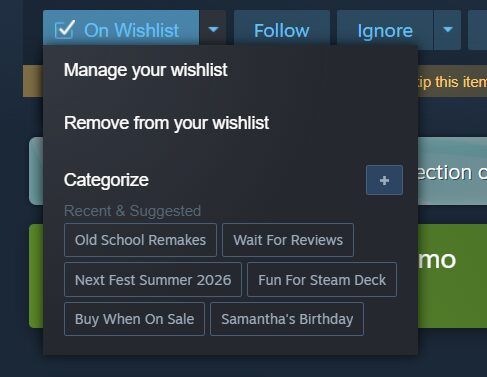
The new categories let players freely group games on their wishlist, for example by event, controller-friendly games, or gift ideas for others. Categories can be assigned directly from the “On Wishlist” dropdown on store pages, and notifications can now be limited to specific categories.
First and foremost is the ability to create and assign custom categories to games on your wishlist. You might want to create a custom category for games you saw featured in a cool event, games best played with a controller, or even games you have in mind for someone else.
- Adding custom categories is quick and easy
- Filter to a category by simply clicking on the category name at the top of your wishlist or next to the My Categories area of each game
- Quickly add to your frequent categories from the “On Wishlist” dropdown on store pages
- Customize wishlist notifications to only be sent for certain categories
There are further improvements too: a reworked search with autocomplete, a demo indicator with notifications for newly released demos, microtrailers when hovering over capsule images, and better contrast and legibility on the wishlist page.
We’ve improved the search experience on the wishlist page and enabled autocomplete for faster results. We now highlight when a game on your wishlist has a demo available. You can also be notified when a demo is released for a game in your wishlist. Microtrailers are now shown when hovering each games capsule image.
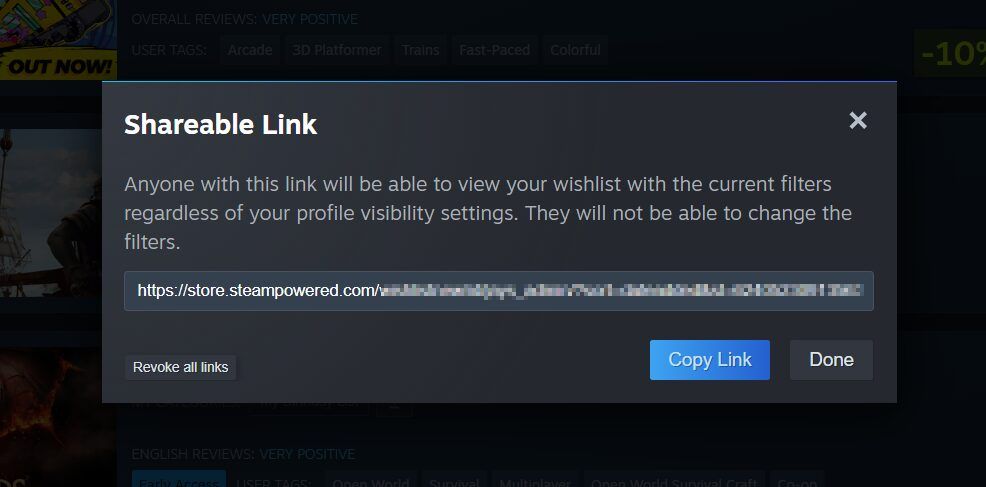
Wishlists, or filtered views of them, can now also be shared via a dedicated link, even if the wishlist itself is set to private. Friends and family can gift games directly through a shared link, even without their own Steam account.
Clicking on the share button at the top of your wishlist gives you a unique URL to share with friends and family. People with the link can view the shared list even if your wishlist is set to private. Links can be revoked at any time. This sharing link will only show the games in your current filtered view.
Steam also revamped gift purchasing to go along with this update.
Source: Steam